
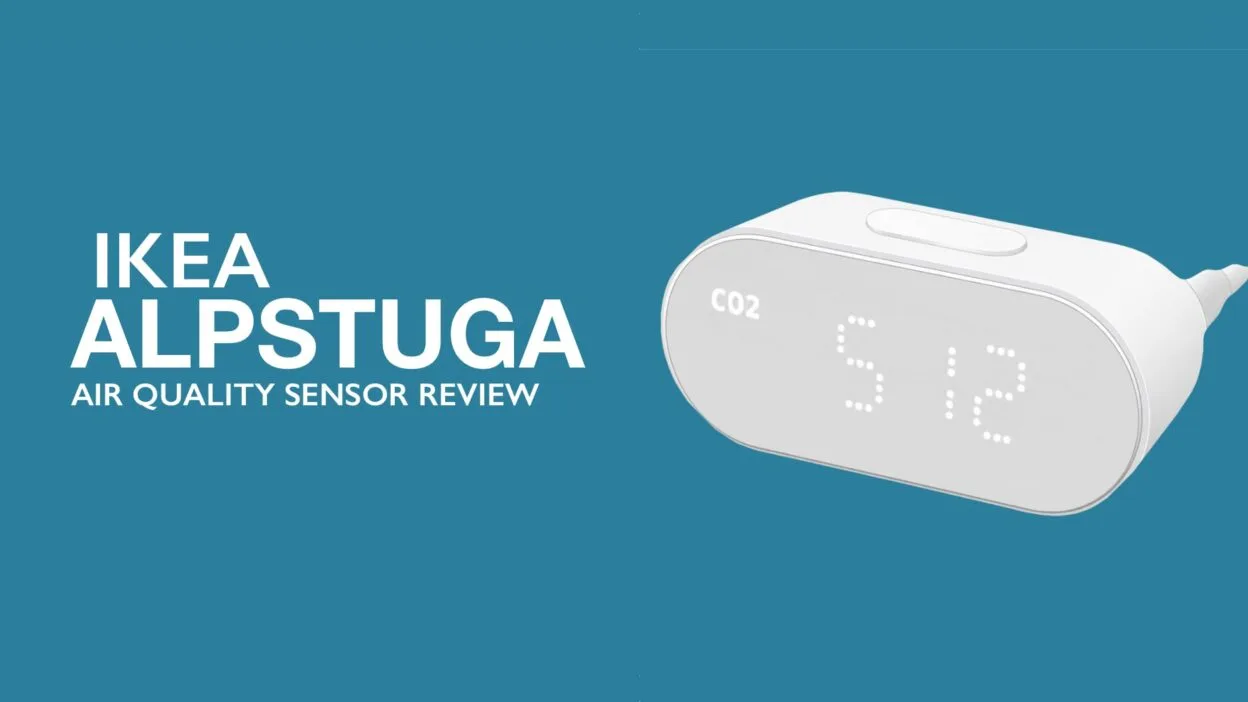
IKEA is quietly joining my list of favourite smart home manufacturers. While companies like Eve, Aqara etc tend to focus on premium, quality hardware or specialist sensors (which I love), IKEA has built a reputation for producing devices that simply do the job without the need of a big budget. Their latest Matter enabled air quality sensor (IKEA ALPSTUGA) is another example of that philosophy. This guide will cover how to connect IKEA ALPSTUGA to Home Assistant.
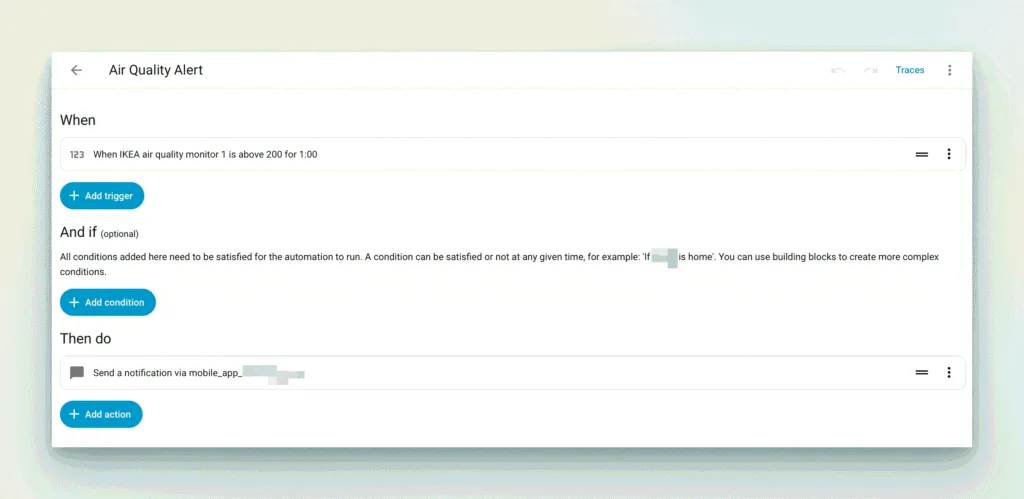
Over the past few weeks I’ve been running five of the £25 devices around my home, integrated into both Apple Home and Home Assistant. Rather than just monitoring air quality, they’ve become part of several automations that genuinely improve the air quality around our home.
Contents
IKEA ALPSTUGA First Impressions
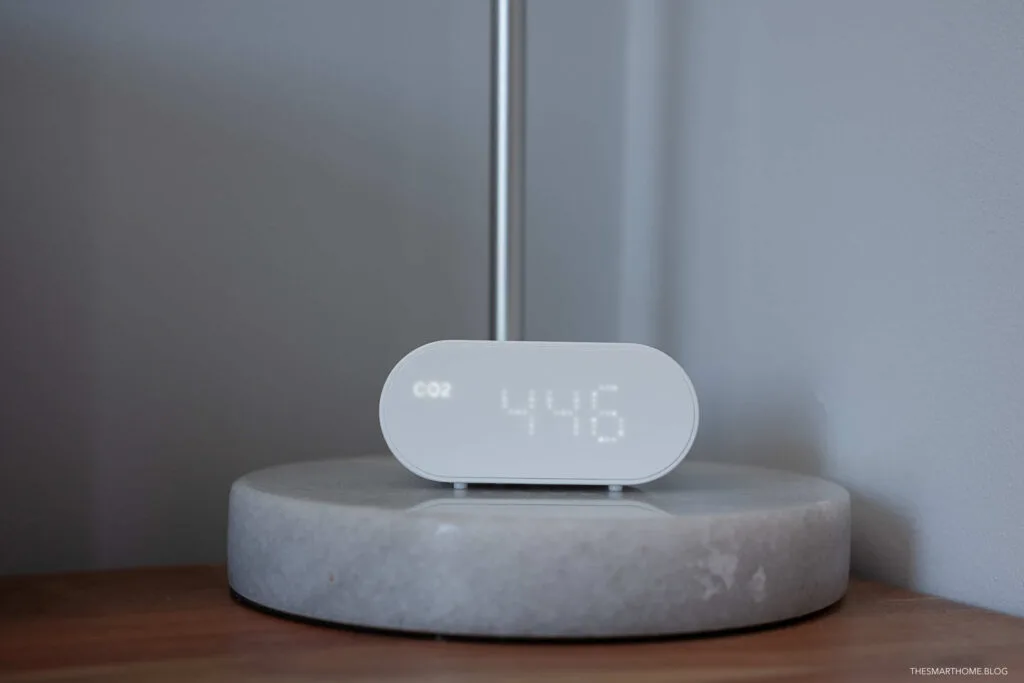
Like most IKEA products, the design is understated. The sensor blends into the background rather than demanding attention, with a clear display showing the current readings. It looks equally at home on a bedside table, bookshelf or desk, which is Important when you’re deploying several around the house. A button on the top of the device allows you to easily through the metrics on offer.

The IKEA ALPSTUGA device is powered via USB-C (there isn’t a battery option). A plug and cabled are required (i.e. it doesn’t come with a power supply or cable) however IKEA sell a plug/cable combo for £4 should you not already have an existing solution (most homes have a plethora of spare cables and plugs).
Setup using Matter was refreshingly straightforward. Within minutes the sensors were available in Apple Home, while Home Assistant exposed considerably more information, making it the platform of choice if you enjoy creating more advanced automations.
How to connect IKEA ALPSTUGA to Home Assistant
I stick to the tradition of adding devices to Apple Home then adding them to Home Assistant via Apple Home pairing mode. (You can read more about this process here).
IKEA ALPSTUGA Sensors
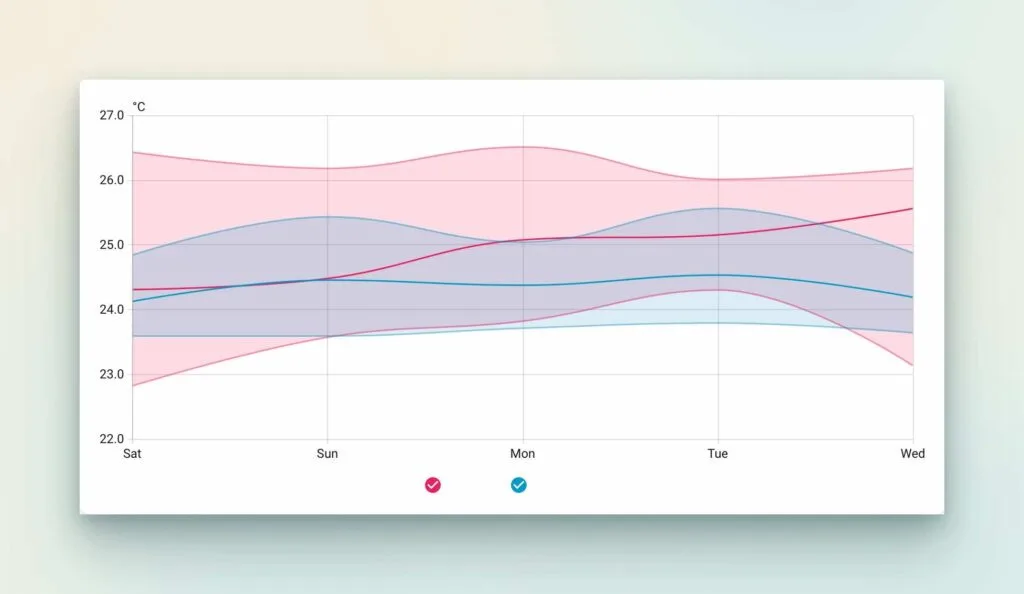
One sensor quickly tells you if you’ve sprayed too much deodorant (seriously). Four sensors start to paint a picture of how your home actually behaves. I say 4 but there is an also a general “Air Quality” metric that is reported. See the screenshot below.
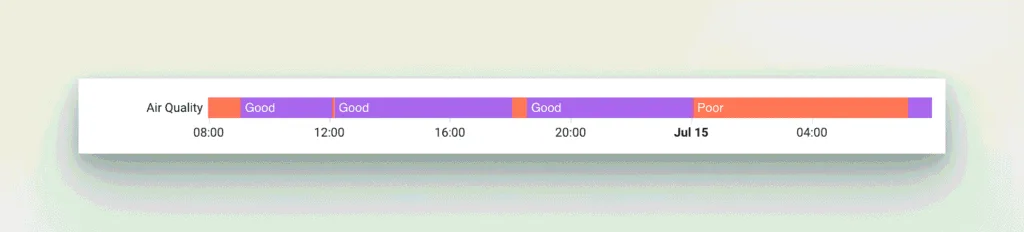
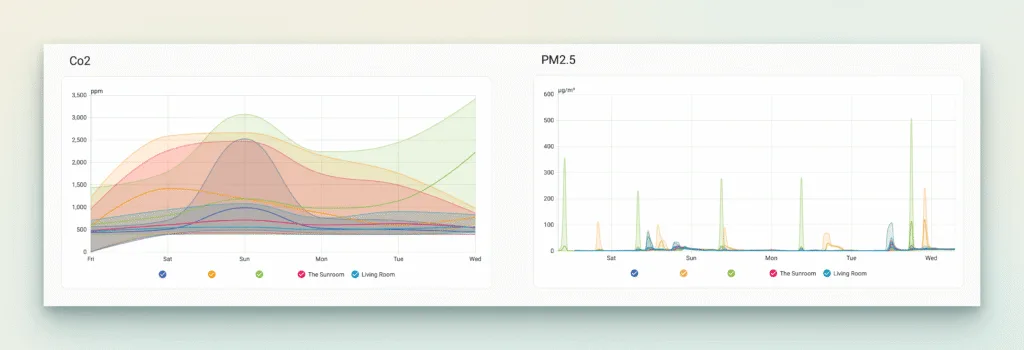
Having units in the bedrooms, living room and kitchen has highlighted just how different each room can be throughout the day. The kitchen inevitably sees spikes while cooking, bedrooms show overnight CO₂ build-up, and my office demonstrates just how much opening a window improves air quality during a long day working from home. It’s the sort of information you never really notice until you can visualise it.
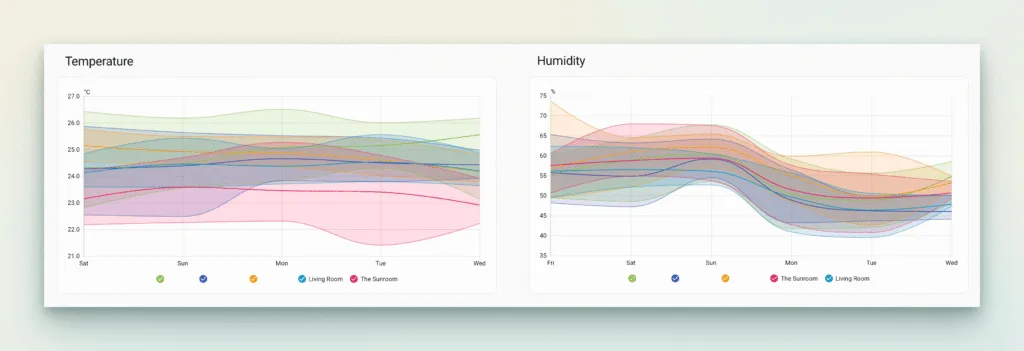
The graphs show the four key metrics. It looks like a lot of information but you can click on the legend to isolate particular devices.
Better Together With Home Assistant
While Apple Home provides a clean interface for viewing the sensor data, Home Assistant is where these devices really come alive.
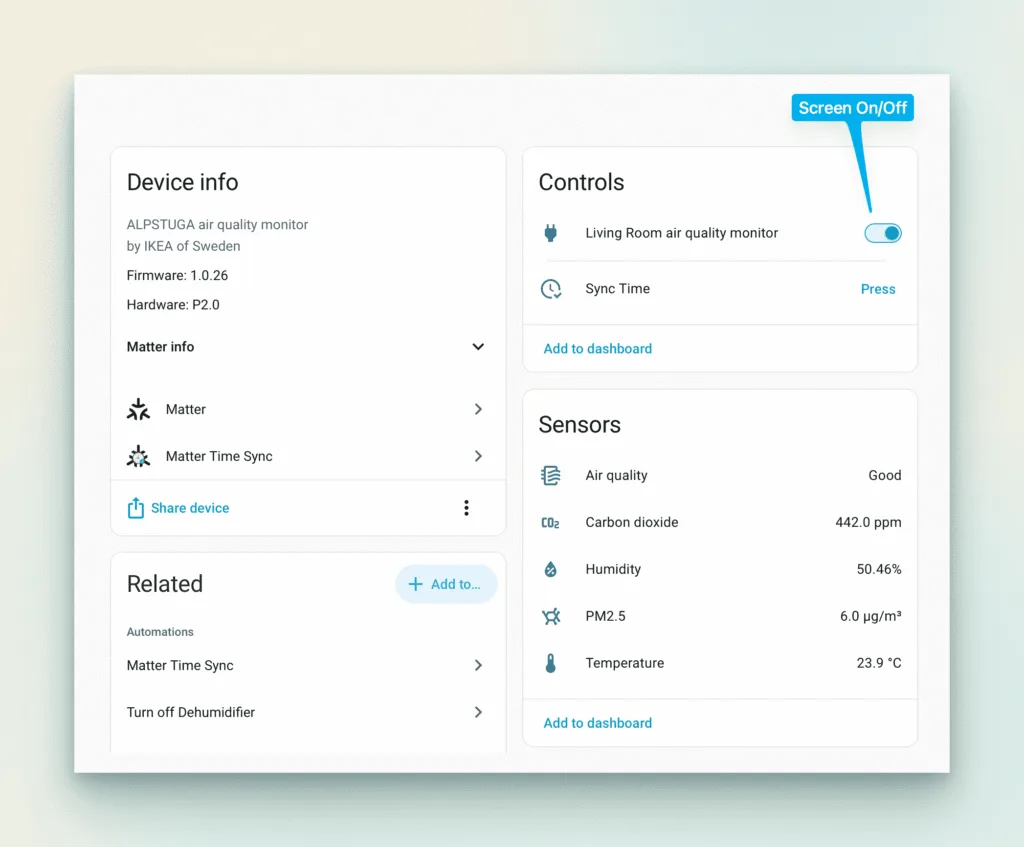
Please note the power setting refers to the screen rather than the device. One of the first automations I created was controlling the sensor’s display. I don’t particularly want illuminated screens in bedrooms overnight, so Home Assistant automatically turns each display off at 10pm.
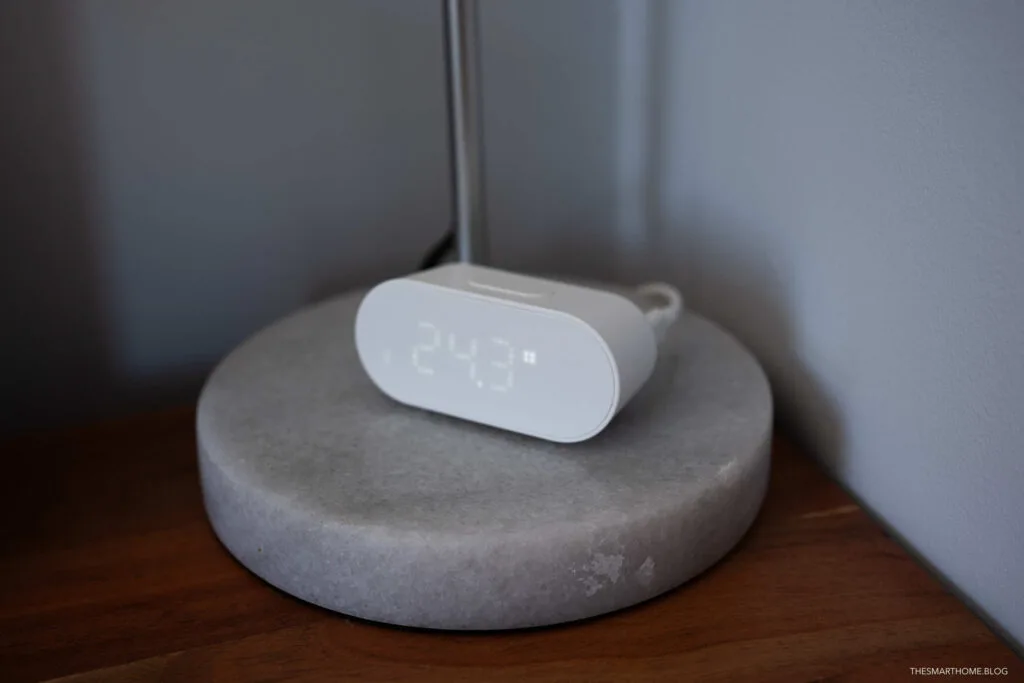
Rather than switching back on at a fixed time in the morning, they remain dark until the ambient light level reaches a predefined threshold. As daylight enters the room, the displays wake automatically.
It’s a small touch, but one that makes the IKEA ALPSTUGA feel much more thoughtfully integrated into the home rather than simply being standalone gadgets.
Clocking in on One Small Irritation
One issue I noticed early on was the IKEA ALPSTUGA onboard clock. Like many Matter devices, the sensor doesn’t always maintain perfectly accurate time on its own. If the device powers down you are back to midnight. Fortunately, the Home Assistant community has already solved this.
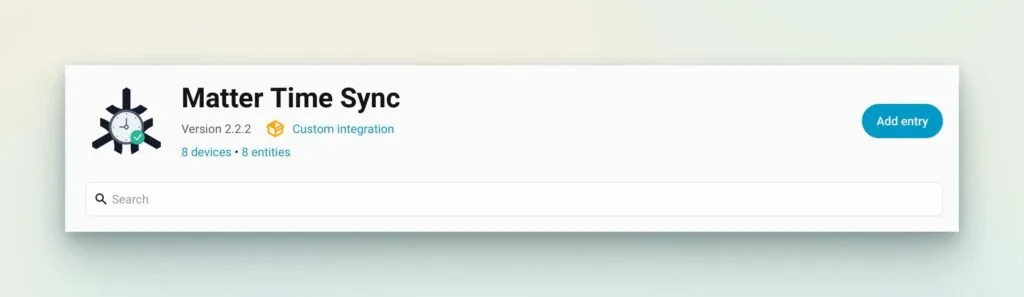
Using the excellent Matter Time plugin available through HACS, I’ve configured Home Assistant to synchronise the clock on each sensor once per day. You can also run this process manually via the device setting in Home Assistant should you power cycle the device.
Matter Time Sync on GitHub.
It’s a great example of how Home Assistant can make life easy through automation.
Apple Home Integration
For Apple users, the sensors work exactly as you’d expect. Once paired over Matter, they’re available within Apple Home and can be incorporated into automations alongside lights, fans and air purifiers.
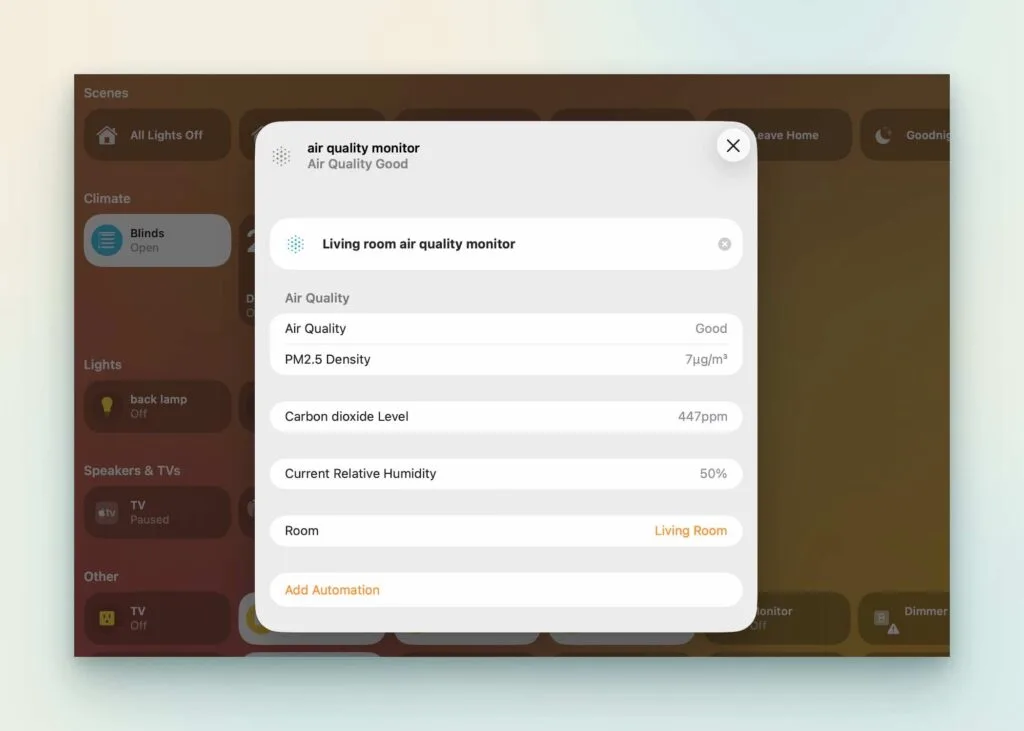
While Apple Home doesn’t currently expose every measurement the hardware is capable of (i.e. temperature), the key environmental data is there, and for many households that’s more than enough. One additional drawback is that you can’t separate the metrics as separate tiles (hopefully this will come in time).
If you’re already invested in Apple’s ecosystem, these sensors slot in seamlessly and can be employed in automations.
Excellent Value
Perhaps the biggest compliment I can give IKEA is this: buying five of these sensors didn’t feel excessive. That’s largely because of the pricing. Many competing air quality monitors cost enough that you’d only ever buy one or two. IKEA has produced something affordable enough that monitoring every major room becomes a realistic option at only £25.
Is the IKEA ALPSTUGA Worth Buying?
After living with five sensors for several weeks, I’d say “definitely”. Not because the do anything groundbreaking, but because they quietly do exactly what they’re supposed to do. Better still, they look great.
They’re easy to install, Matter support makes them flexible, they’re reliable in day-to-day use, and they integrate beautifully with both Apple Home and Home Assistant.
For Home Assistant users, the ability to automate the display, keep the onboard clock synchronised using the Matter Time HACS integration, and build sophisticated automations around air quality makes them considerably more capable than their modest price suggests.
If you’re looking for an affordable way to monitor the environment throughout your home rather than just in a single room, IKEA may have produced one of the best-value Matter devices currently available.
Product Dimension: IKEA ALPSTUGA Air quality sensor, smart design, 40mm x 40mm x 90mm.
Links:
IKEA Smart Home Devices
The Apple HomeKit Greenhouse Project
The Wittboy Weather Station Deep Dive
Follow Us
We would love if you could follow our social accounts (Instagram X Facebook Bluesky). You can also follow us via our RSS Feed or join the (no spam) mailing list, see the bottom of this article
Discover more from The Smart Home Blog
Subscribe to get the latest posts sent to your email.