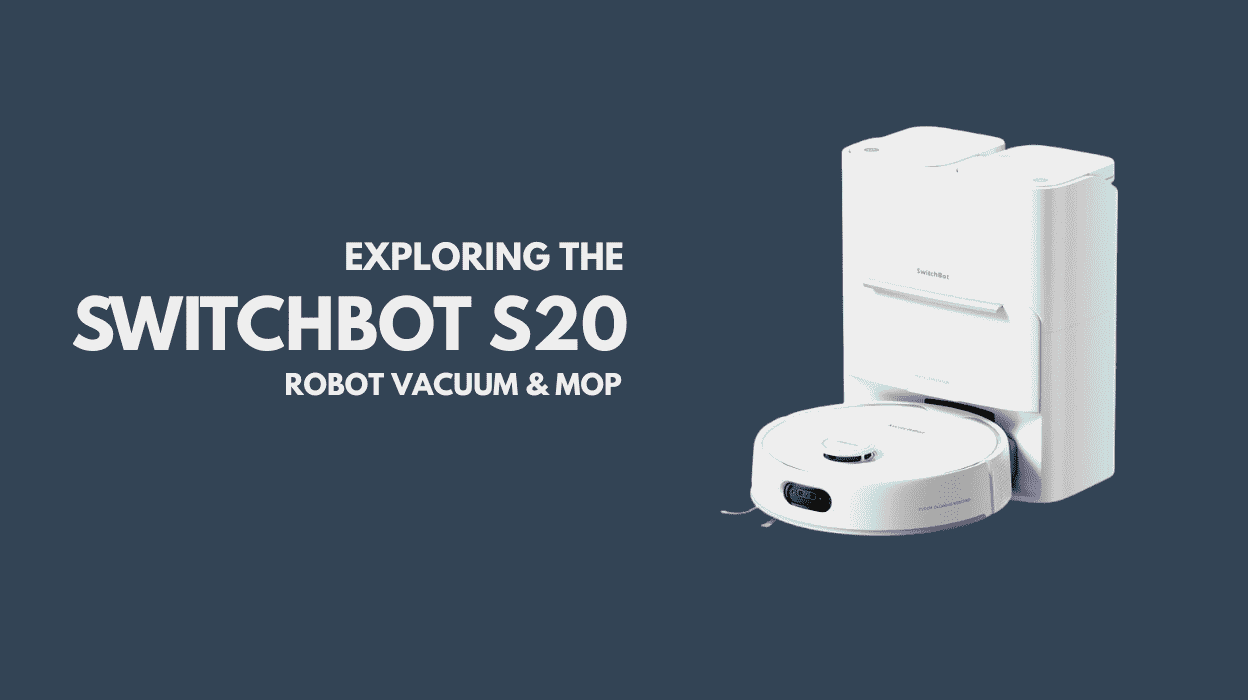
There is no doubt that the world of robot vacuums / smart vacuums, automated cleaners, or whatever you choose to call them is evolving at a rapid pace. Just over a month ago, we upgraded our two year old robot vacuum to the SwitchBot S20, and the difference has been significant.
Our previous robot offered basic mopping by dragging a damp cloth across the floor. The SwitchBot S20 [Ad], by comparison, feels like a generational leap. The S20 delivers 10,000 Pa of suction for dry cleaning and uses a roller mop that applies up to 1kg of downward pressure, scrubbing 300 times per minute for effective stain removal.

This review documents the setup experience, the adjustments we made, and most importantly, what we’ve come to love after more than a month of daily use.

Contents
Getting Started with the SwitchBot S20
The SwitchBot S20 comes with a dedicated base station. While larger than our previous setup, it’s easy to see why. The base station houses:
- A clean water tank
- A dirty water tank
- A dust bag for vacuumed debris
The device also comes with a plastic floor protector and uses a Diatom Mud Mat. A diatom mud mat is a super-absorbent, fast-drying floor mat made from diatomaceous earth. The natural, stone-like material that quickly soaks up water, leaving floors dry and helping to prevent mould and mildew.
Setup was refreshingly straightforward. Once the base station was positioned and powered on, connecting the robot vacuum took only a few minutes using the SwitchBot app. While the S20 supports Matter over Wi-Fi, initial setup is handled through SwitchBot’s own app.
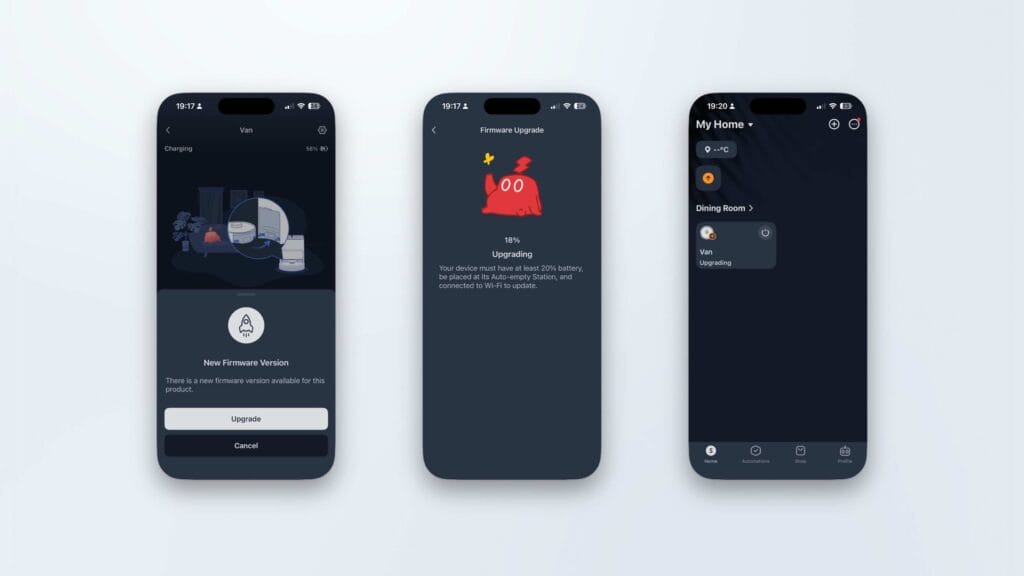
The SwitchBot S20 base station features an automated refill and drain system, meaning there is very little daily user interaction required. The device will alert you when attention is needed, such as when the clean water tank needs refilling.
Our previous robot was named Vincent; the S20 was quickly christened Vanessa. After allowing a few hours for charging, it was time to begin mapping.
SwitchBot S20 Mapping Performance
Mapping with the SwitchBot S20 was both fast and impressively accurate. The robot uses its built-in LDS laser radar to map our entire ground floor in a single run.
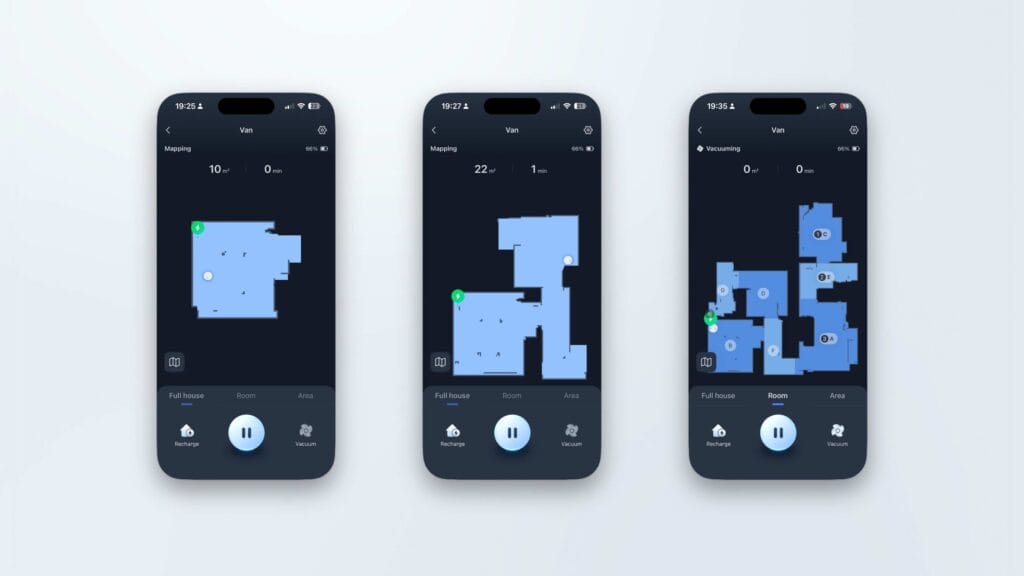
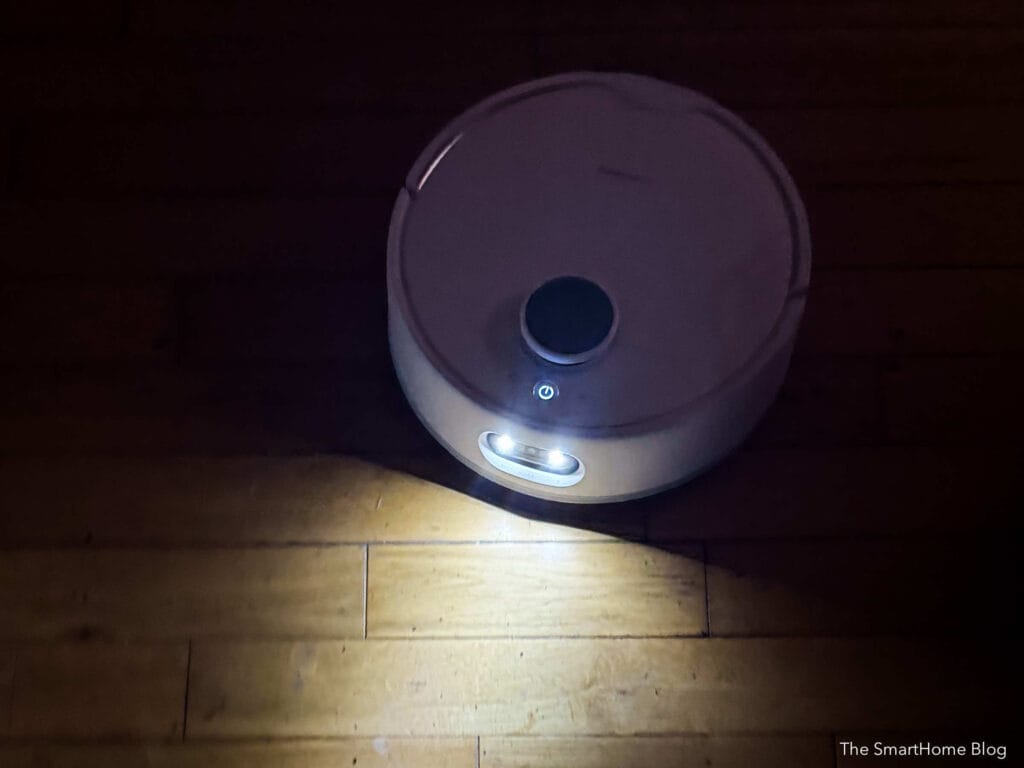
The S20 is also equipped with front-facing headlights, which help it navigate darker areas with ease. The results were noticeably cleaner than what we were used to, with straight edges, clearly defined rooms, and no corrections required.
Once mapping is complete, the map can be saved and edited in the app—room boundaries can be adjusted and rooms renamed with minimal effort. It’s clear that mapping technology has come a long way, and this represents a significant upgrade over our previous vacuum.
Custom Room Cleaning
The SwitchBot S20 offers four cleaning modes:
- Vacuum & Mop
- Vacuum only
- Vacuum then Mop
- Custom
Initially, we manually selected cleaning modes as needed, but it didn’t take long before we switched to a custom, room-based cleaning plan. This approach is far more convenient, especially when controlling the S20 through third-party Matter platforms such as Apple Home.
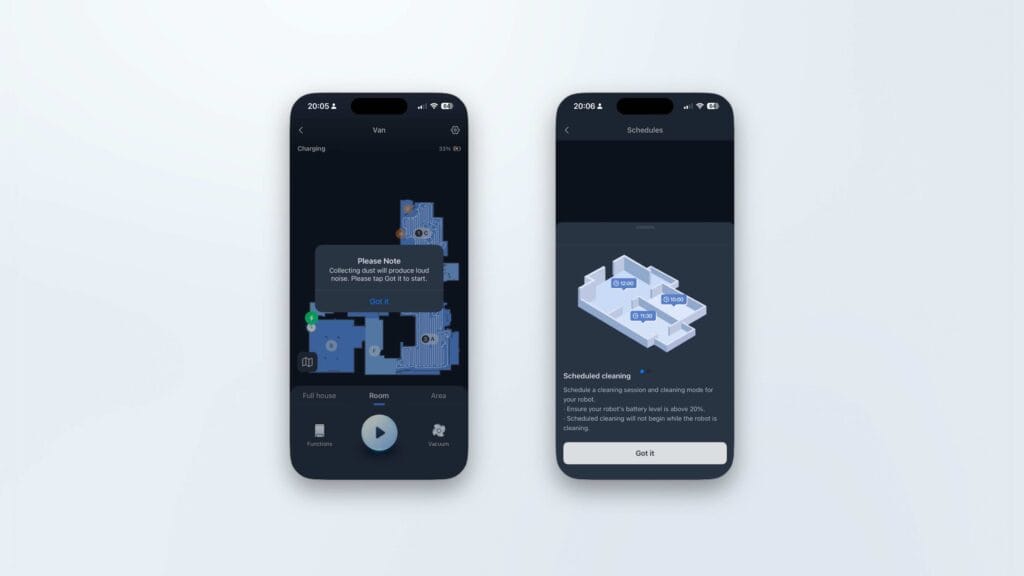
Setting this up is simple: tap a room in the app and select the default cleaning mode. In our case:
- Hard floors: Vacuum & Mop
- Carpeted rooms: Vacuum only
Once configured, daily cleaning becomes largely hands-off.
SwitchBot S20 AI Obstacle Recognition
AI obstacle recognition can be enabled in the SwitchBot app, and it’s a feature worth turning on. When the SwitchBot S20 encounters an unknown object, it captures an image using its built-in camera.
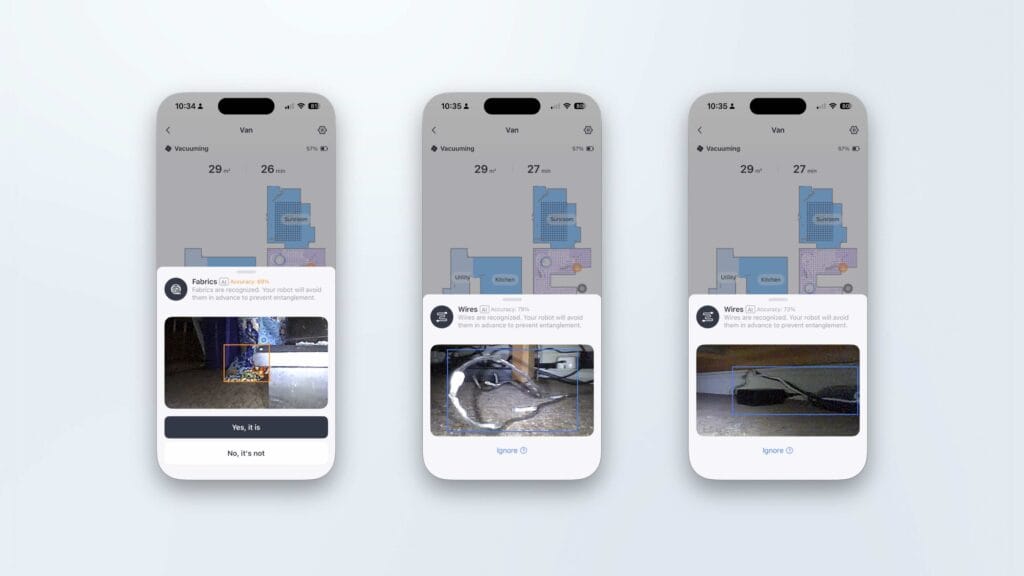
A small icon appears on the map, allowing you to review the image and confirm whether the object was correctly identified.
In practice, this works extremely well. The S20 reliably avoids wires and other obstacles, which was particularly noticeable during the Christmas period when trees, cables, decorations, and presents cluttered the floor. Despite the chaos, the robot navigated confidently without getting stuck.
SwitchBot S20 Apple HomeKit Integration
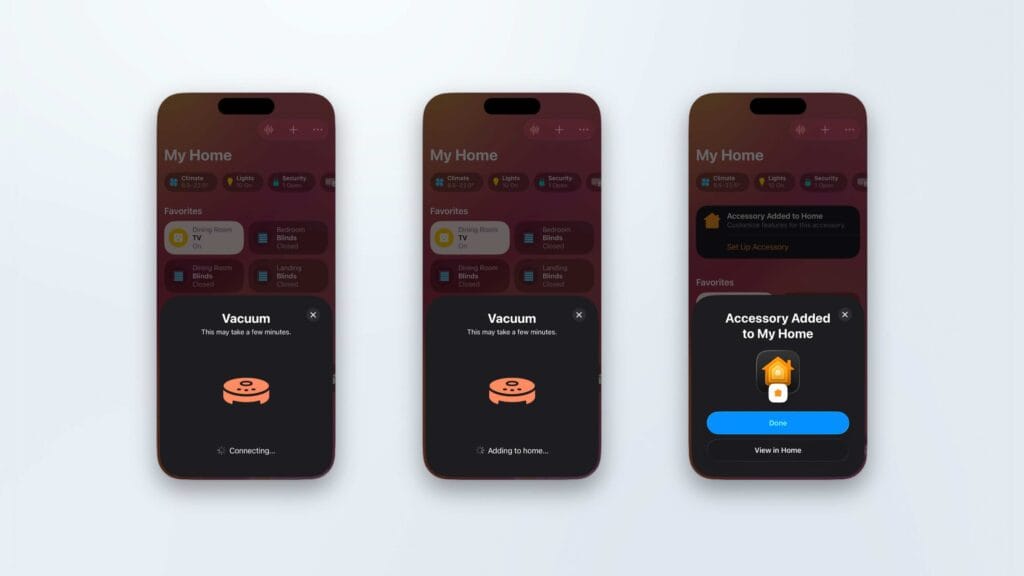
The primary reason we added the SwitchBot S20 to Apple HomeKit was to give all Apple Home users in the household access without requiring the SwitchBot app.
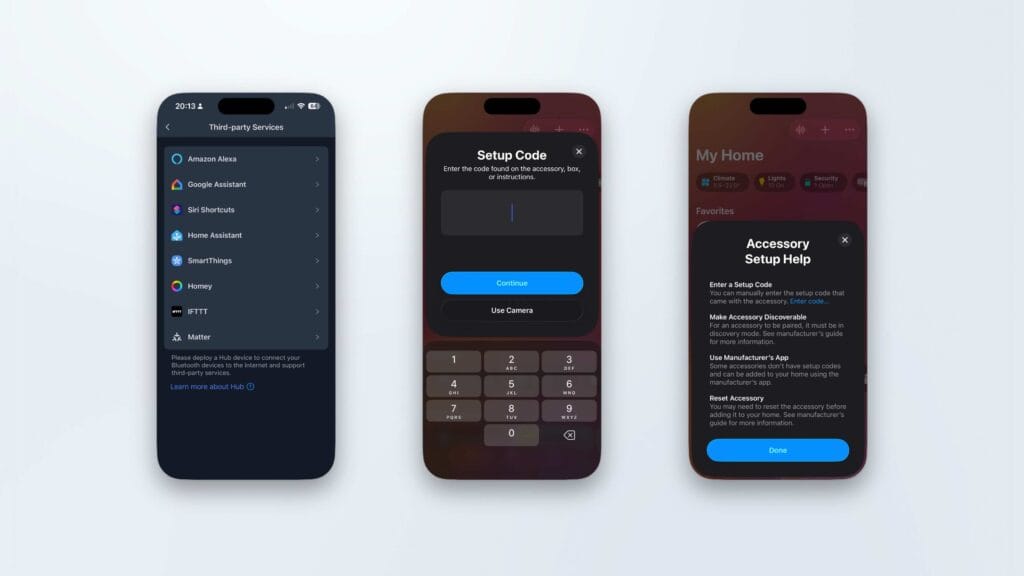
Alongside the S20, we also use the compact and equally impressive SwitchBot K11+, [Ad] which is also integrated into Apple Home. This setup makes it easy for anyone in the house to start room specific cleaning using familiar HomeKit controls.
SwitchBot S20 Home Assistant Integration
Adding the SwitchBot S20 to Home Assistant is straightforward. My usual process is to:
- Put the Matter device into pairing mode via the Apple Home app
- Open the Matter integration in Home Assistant
- Select Add device → Device already in use
- Paste the Matter code provided by Apple Home
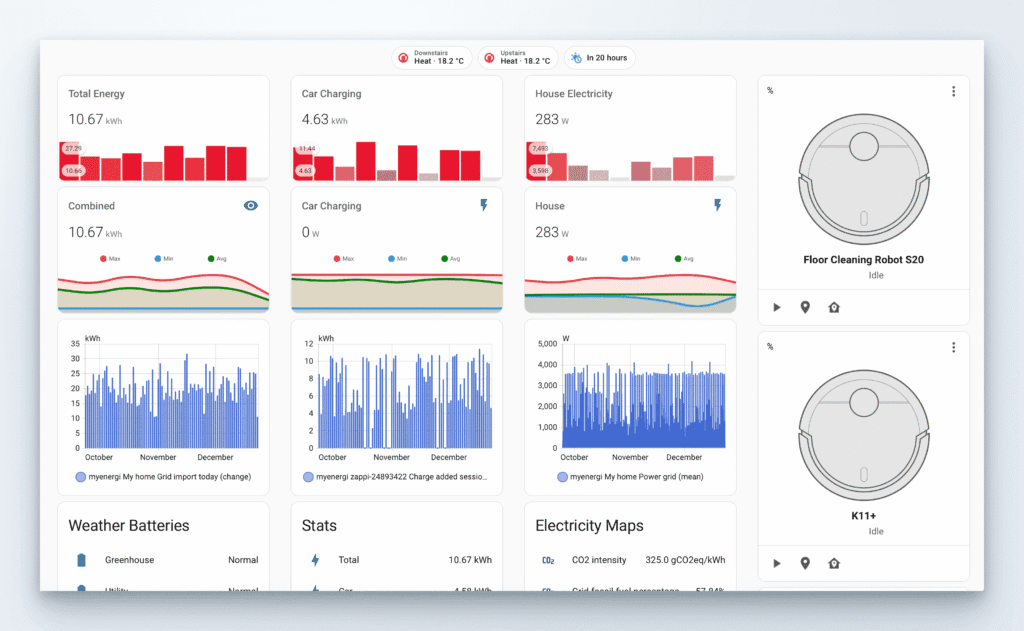
While I don’t find Home Assistant’s robot vacuum controls as useful as HomeKit’s, I do value it for data logging and monitoring. Through Home Assistant, I was able to view the S20’s energy usage over a 30-day period, with the vacuum running on most days.
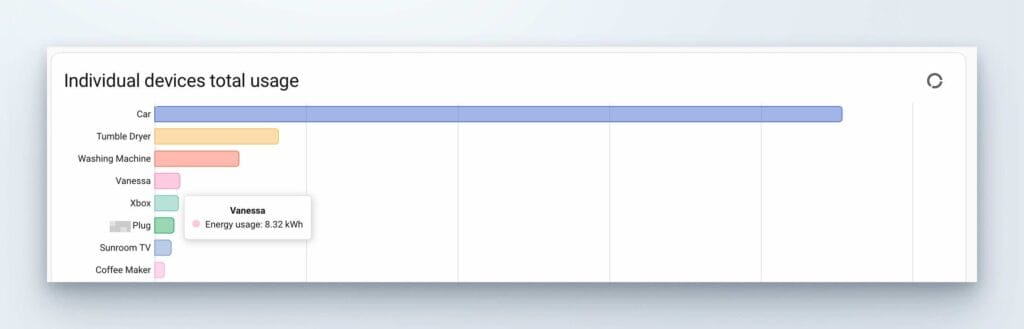
You can find out more about the H Click here to read more about the Home Assistant Energy dashboard.
Cleaning and Mopping Performance
By this point, it’s probably clear that I’m very impressed with the SwitchBot S20 and that impression extends fully to its cleaning performance.
Starting with vacuuming, a single pass over carpeted rooms showed a noticeable improvement compared to our aging previous robot. The noise profile is different, but not unpleasant.
When the S20 returns to its base station, it automatically empties the dust into the bag. This process is loud, but quick and highly effective.
Where the S20 truly stands out is mopping. The roller mop is pre-wetted before cleaning, and SwitchBot claims the S20 always cleans with a clean mop—and based on our experience, that claim holds up.
As the robot moves through the kitchen, it continuously rinses the mop using clean, soapy water. Cleaning fluid is included in the box.
SwitchBot S20 Area Cleaning
A recent yoghurt spill in the kitchen provided the perfect opportunity to test area cleaning.
Using the app, you simply draw a square on the map and tell the S20 to clean it. I opted for a two-pass clean, although one pass would have been sufficient.
Watching the robot move in precise, straight lines and leave visibly clean flooring behind was genuinely satisfying.
Odours, Drying, and Self-Cleaning
The S20’s base station is located in our dining room, and I initially had concerns about odours from wet mops and dirty water. Thankfully, this hasn’t been an issue.
Both water tanks are sealed, and after every mopping session, the S20 runs thorough self-cleaning and drying cycle.
One thing to be aware of: until this drying process is complete, you can’t start another vacuum-only clean. The full cycle takes approximately three hours, but the trade-off is a hygienic, odour-free system.
SwitchBot S20 Automation and Maintenance
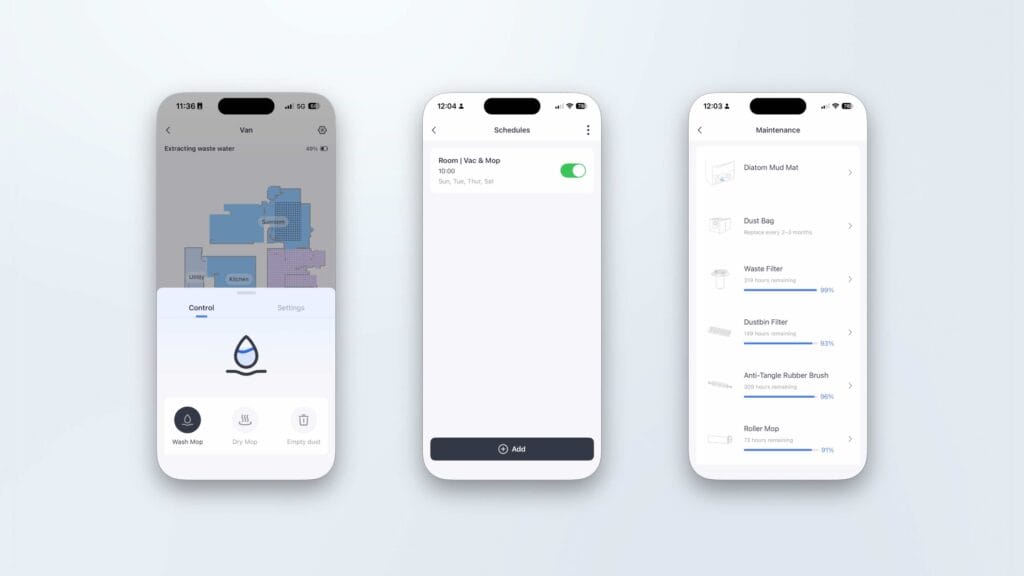
Day-to-day maintenance of the SwitchBot S20 is minimal. The robot clearly communicates its needs through both voice prompts and the app.
You can manually trigger dust emptying or mop cleaning directly from the SwitchBot app.
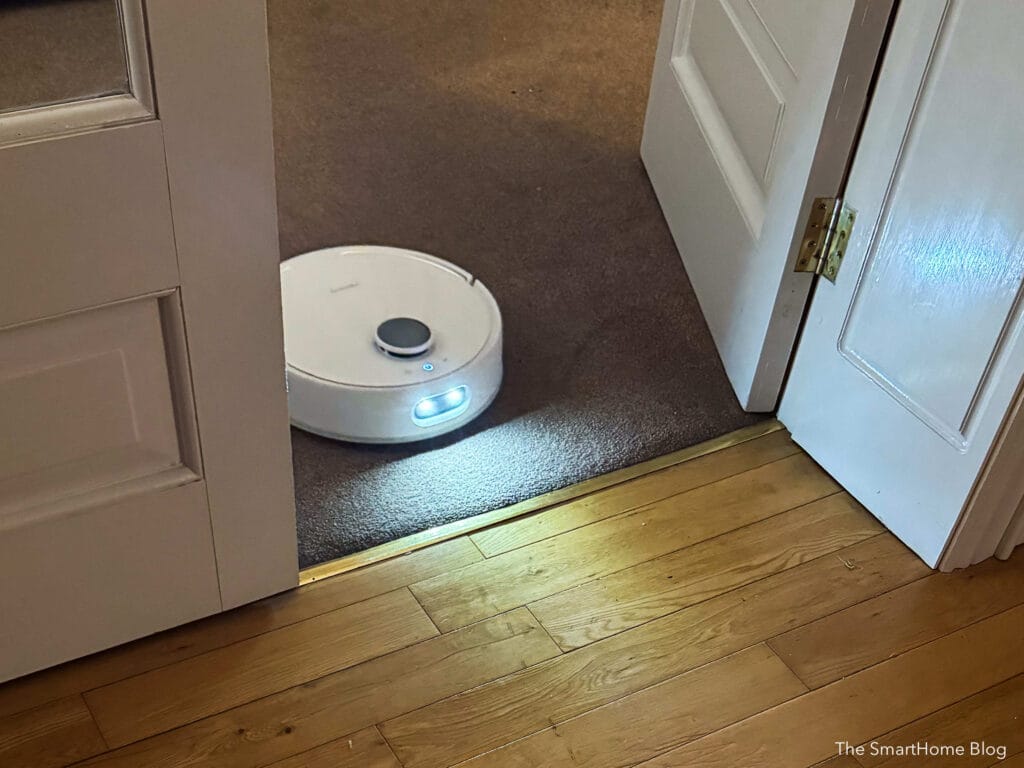
Automations are easiest to manage within the SwitchBot app itself, though basic control is also possible via platforms like HomeKit. Creating schedules and routines is simple—the real challenge is remembering to leave doors open so the robot can reach every room.
Consumables and maintenance reminders are also well handled in the app, making it easy to keep track of filters, bags, and cleaning fluid.
Conclusion
After more than a month of daily use, the SwitchBot S20 continues to impress. From its powerful vacuuming and genuinely effective mopping to its excellent mapping, obstacle avoidance, and smart home integrations, this feels like a substantial step forward in robot vacuum technology.
If you’re coming from an older robot vacuum or even a mid-range model the S20 represents a meaningful upgrade that delivers on both convenience and cleaning performance.
Links:
SwitchBot S20 on Amazon [Ad]
SwitchBot Hub 3 Review
Other SwitchBot articles
SwitchBot Website
Discover more from The Smart Home Blog
Subscribe to get the latest posts sent to your email.