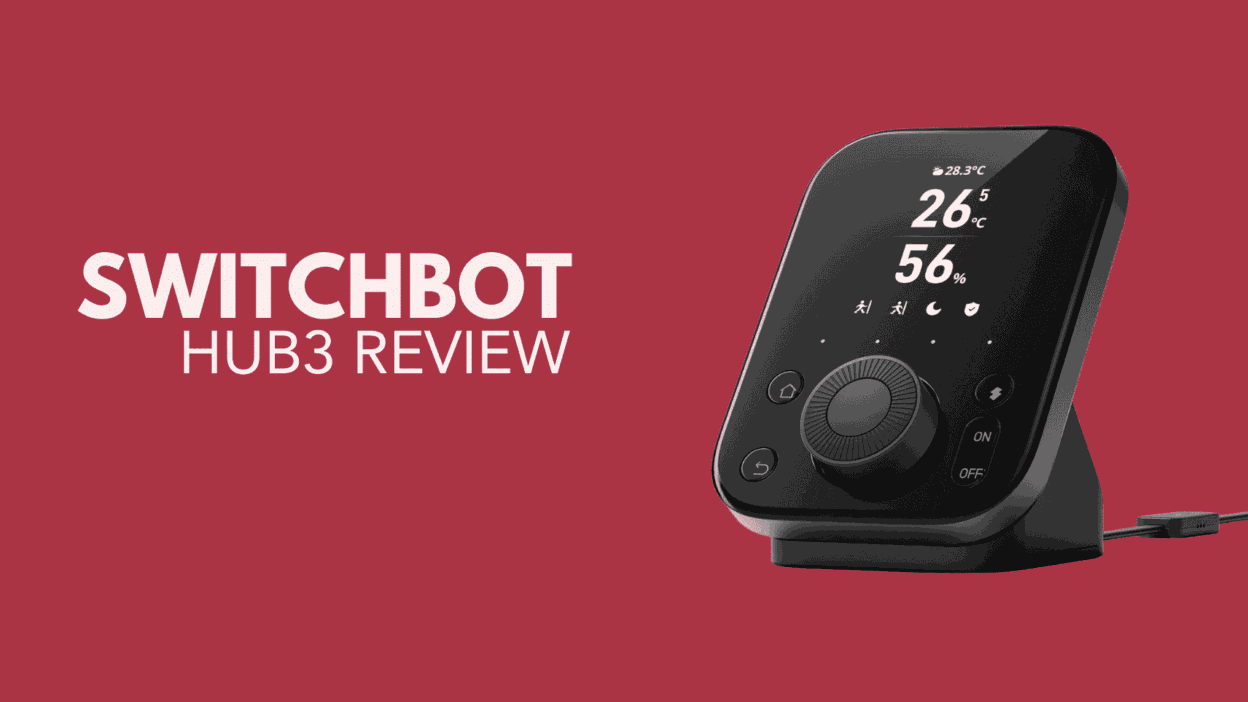
The SwitchBot Hub 3 represents a significant evolution in smart home hubs. The Hub 3 offers advanced connectivity with Matter, Bluetooth, and even infrared (IR) support. In addition it features built-in sensors for temperature, humidity, motion, and light levels. All but the light level can be viewed on the Hub 3’s vivid IPS display.
As a versatile central hub, the SwitchBot Hub 3 simplifies home automation by integrating with major smart home ecosystems. This includes connectivity via Matter making it an ideal tool for enhancing and streamlining the connected home experiences.
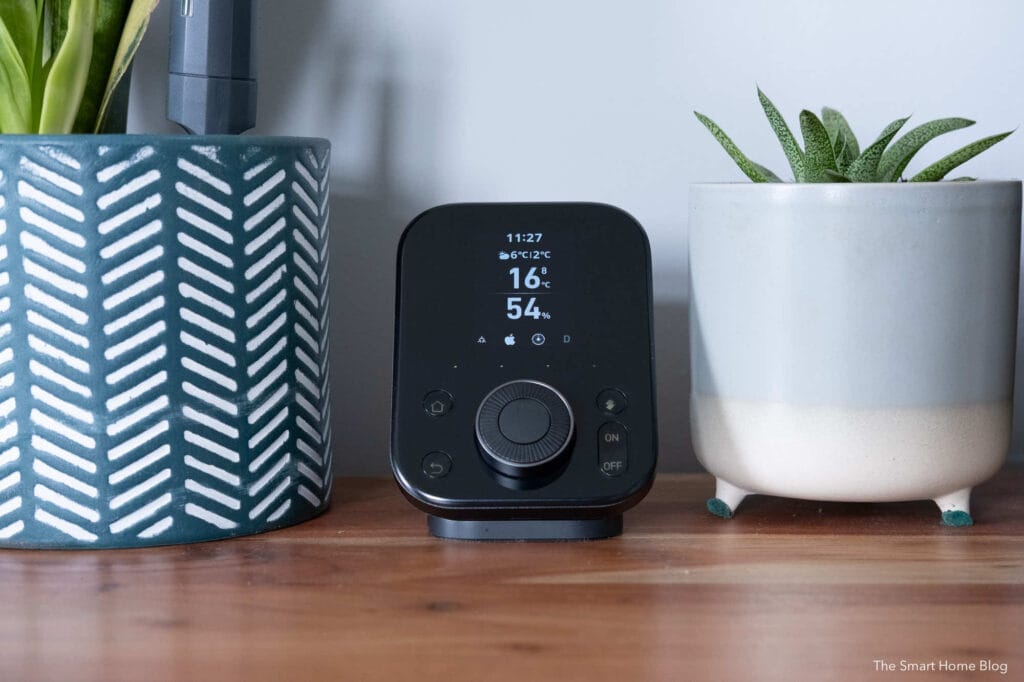
With its intuitive setup and robust feature set, the Hub 3 stands as a next-generation solution for smart home enthusiasts.

Contents
SwitchBot Hub 3 Set Up
Setting up the SwitchBot Hub3 is a straightforward process. Once plugged in, the device automatically begins monitoring and displaying data from its built-in sensors. To pair the Hub3 with your SwitchBot account, open the SwitchBot app and tap the “+” icon in the top right corner.
Adding SwitchBot Devices to the Hub 3
Integrating existing SwitchBot devices with the Hub3 is easy. The app guides you through the process, whether you’re adding new devices or importing legacy ones like the IR Blaster. We were table to add both our SwitchBot vacuums in a matter of seconds.
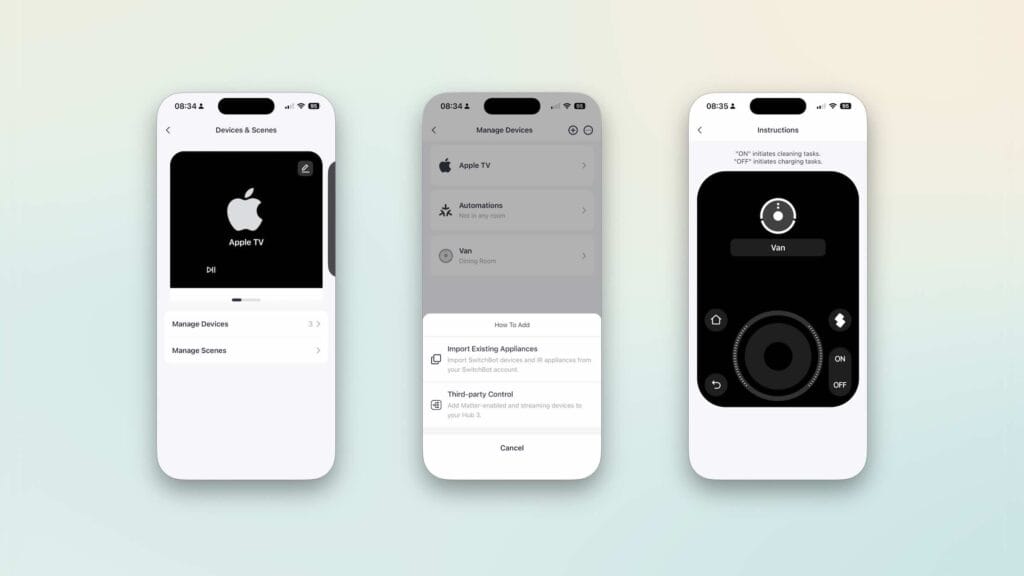
Adding Legacy Devices: The IR Blaster
The IR Blaster allows you to control traditional IR devices, such as TVs or air conditioners, transforming them into smart appliances. To add an IR device to the Hub 3:
- Open the Hub 3 in the app and go to “Device & Scenes,” then tap the ‘+’ icon.
- Choose “Import Existing Appliances” or manually add new IR devices.
- Select the appliance type (e.g., TV, AC etc) and choose a learning method:
Smart Matching: The SwitchBot app will try to auto-detect the remote’s code.
Manually Learn: Point the original remote at the Hub 3’s IR receiver (located right of the LED) and press buttons. - Follow the on-screen instructions to test and save each action.
For optimal performance, ensure the Hub 3 is within direct line of sight of your IR devices. Infrared signals cannot pass through solid obstacles.
SwitchBot Hub 3 Matter Integration
The SwitchBot Hub3 supports Matter connectivity, making it compatible with a wide range of smart home ecosystems. Once integrated with platforms like Apple Home or Home Assistant, the Hub 3 can trigger automations and scenes across devices.
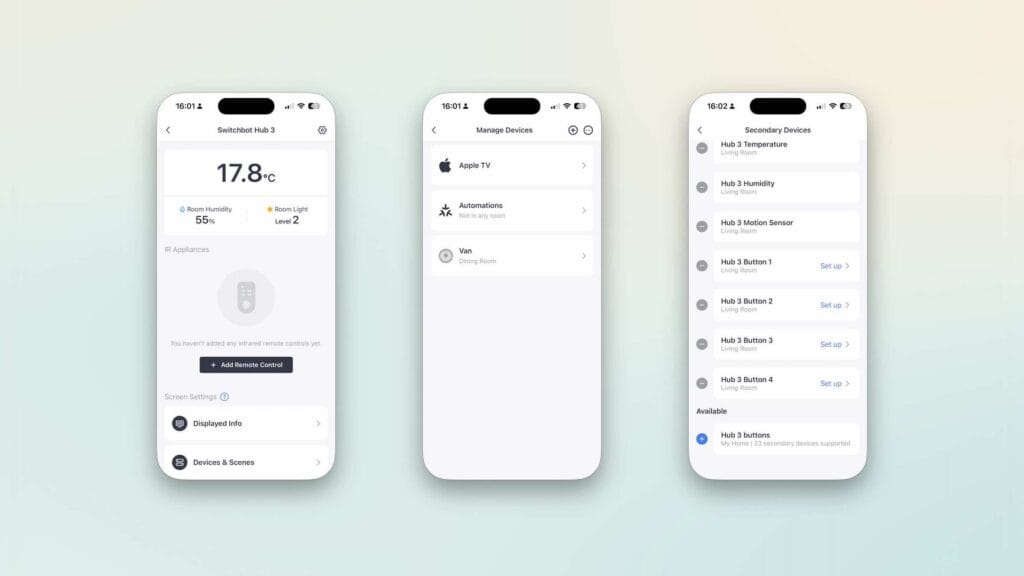
Data from the Hub 3’s temperature, humidity, and motion sensors is exposed to the Matter ecosystem. The light level data remains within the SwitchBot ecosystem for now.
SwitchBot Hub 3 – Apple Home
To connect the Hub 3 to Apple Home, navigate to the Hub 3 settings in the SwitchBot app and enable Matter support. A unique code will be generated for your Hub 3. In the Apple Home app, tap the “+” icon, then select “Add Accessory” and paste the provided code into the prompt.
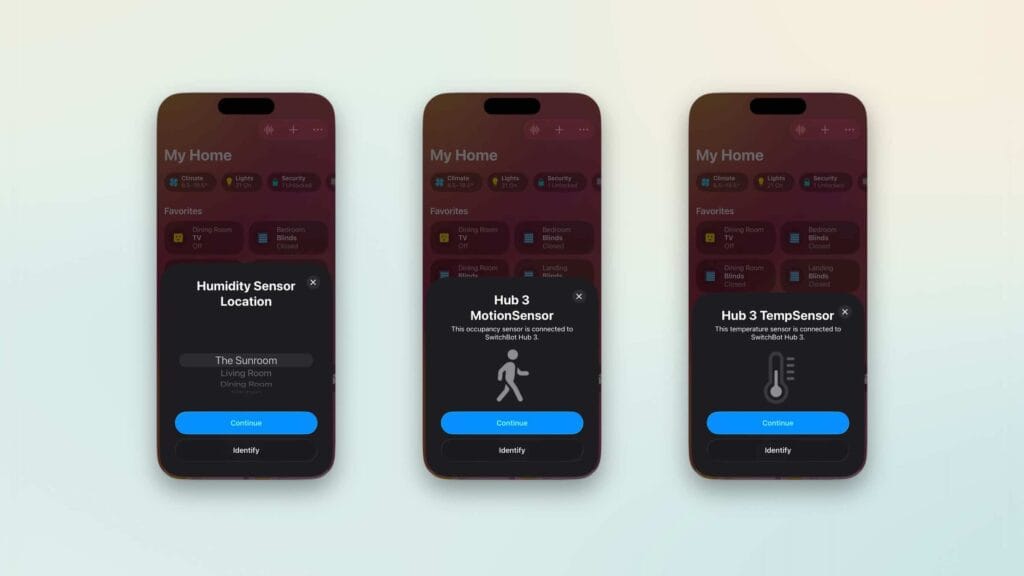
If the Hub 3 isn’t discovered automatically, use the “More Options” button to input the code manually.
SwitchBot Hub 3 Home Assistant Integration
You can connect the Hub3 to Home Assistant via Matter, or by using the SwitchBot Cloud. While both methods are effective I have opted for a Matter connection for the Hub and Cloud for my other devices (such as the Switchbot CO2 sensor [Ad]). To access the Matter switches, you obviously need to use the Matter integration.
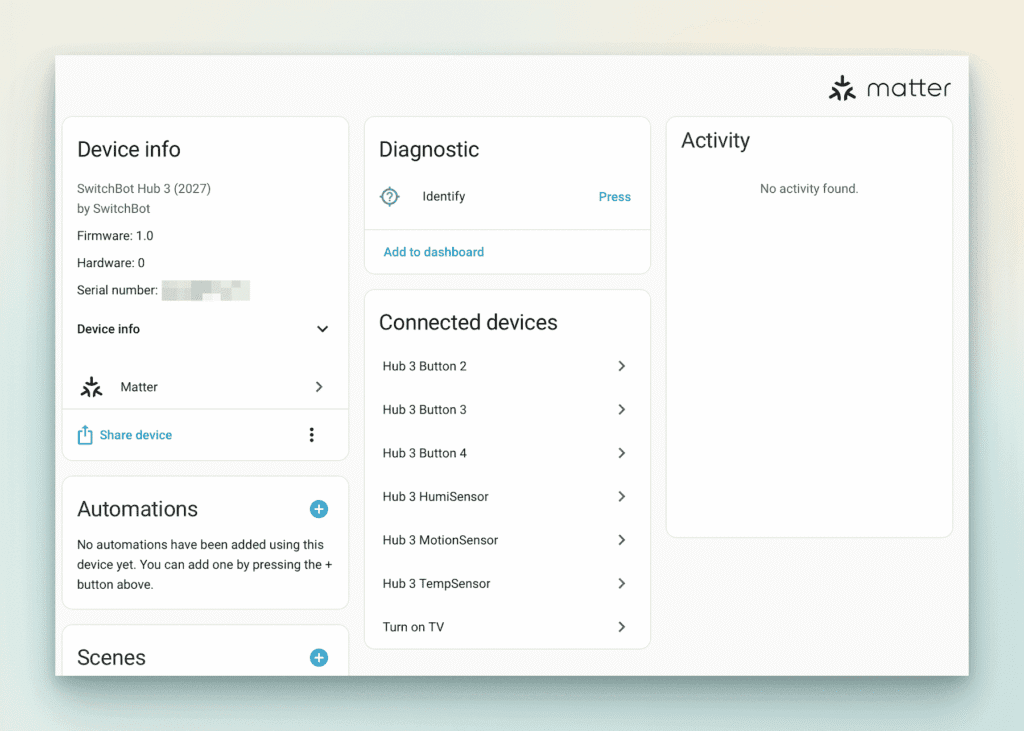
The Matter integration offers a more seamless experience. Sensor data, (excluding light level), is available within Home Assistant, providing reliable, continuous service due to the Hub3’s constant power supply.
Controlling Matter Devices
Once connected to Matter, controlling compatible devices is straightforward. The SwitchBot Hub 3 allows you to add up to 27 programmable virtual buttons. The buttons can be assigned to scenes or automations within HomeKit or Home Assistant. To avoid confusion, I would recommend using them in a single platform only.
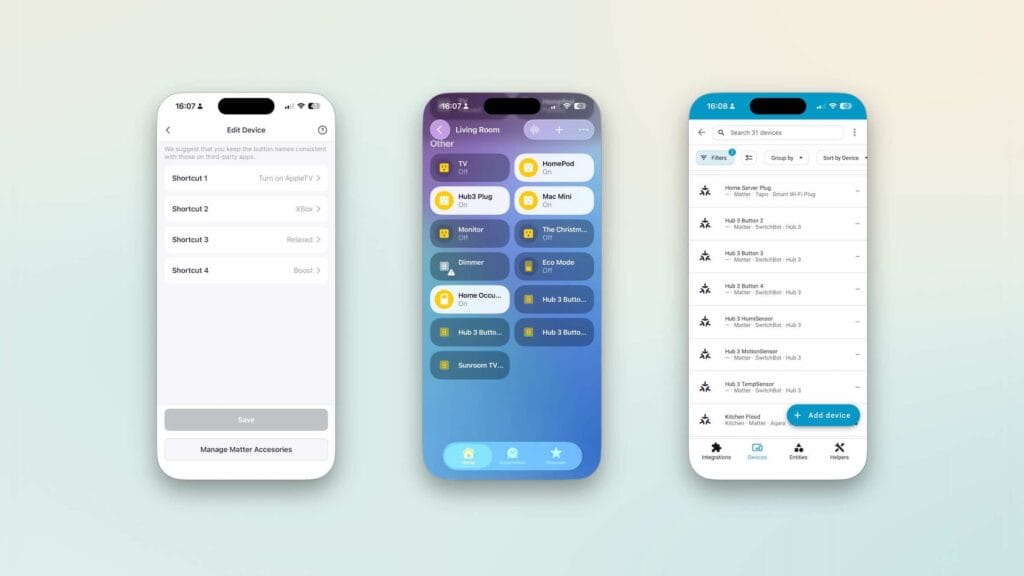
For example. I have created a scene where pressing one button turned on my TV, lights, and Apple TV simultaneously. To avoid confusion I recommend sticking to a single platform (HomeKit or Home Assistant) for managing the Matter buttons.
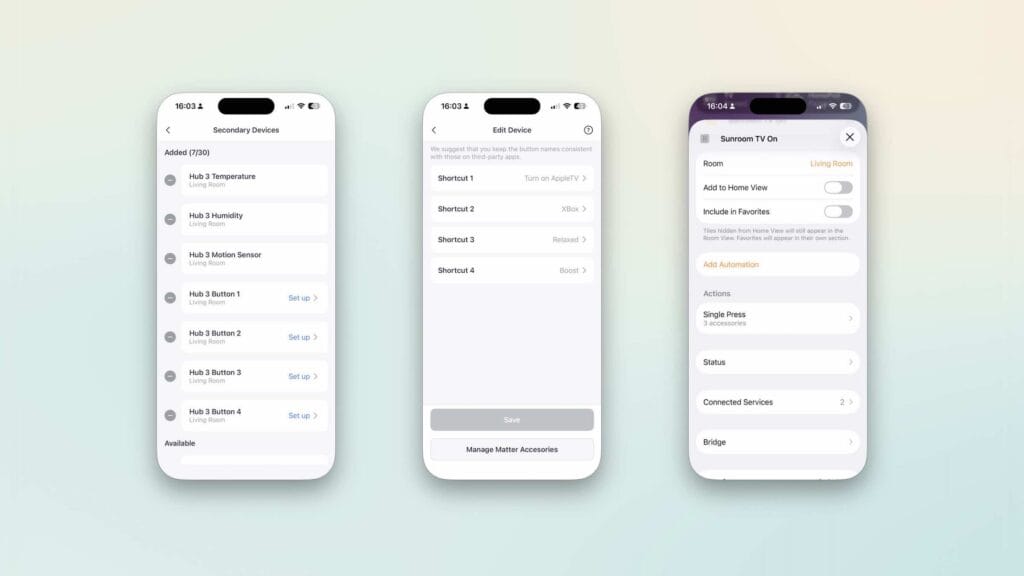
Apple TV Control
The SwitchBot Hub3 [Ad] can also act as a remote for your Apple TV. After pairing the device, you gain full control of your AppleTV, including volume adjustments via the Hub 3’s rotating dial.
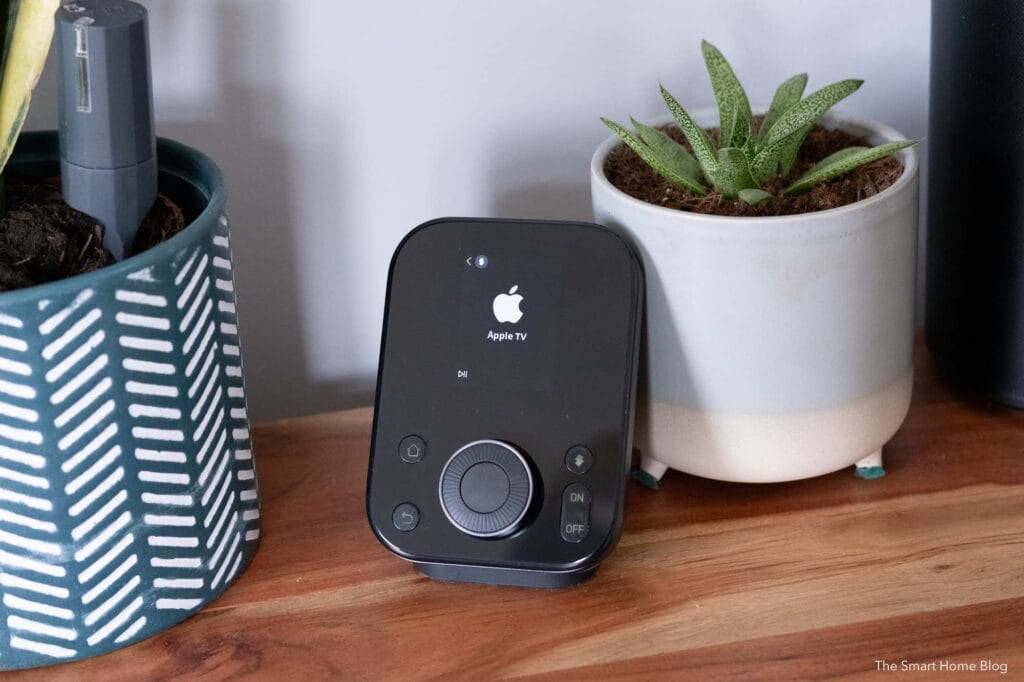
While the Apple TV remote is still handy, the Hub 3’s intuitive controls make it a convenient alternative.
Adaptive Lighting
For those with SwitchBot smart lighting, the Hub 3’s light sensor enables the Adaptive Lighting feature. This feature dynamically adjusts the brightness and colour temperature of compatible Matter-enabled lights based on ambient conditions. This includes time of day or room occupancy.
This not only enhances the lighting experience but also optimises energy consumption. This ensures your home is always lit in the most efficient and comfortable way.
SwitchBot Hub 3 Historic Data
The Hub 3 also supports storing historical data from connected devices like the SwitchBot Meter.
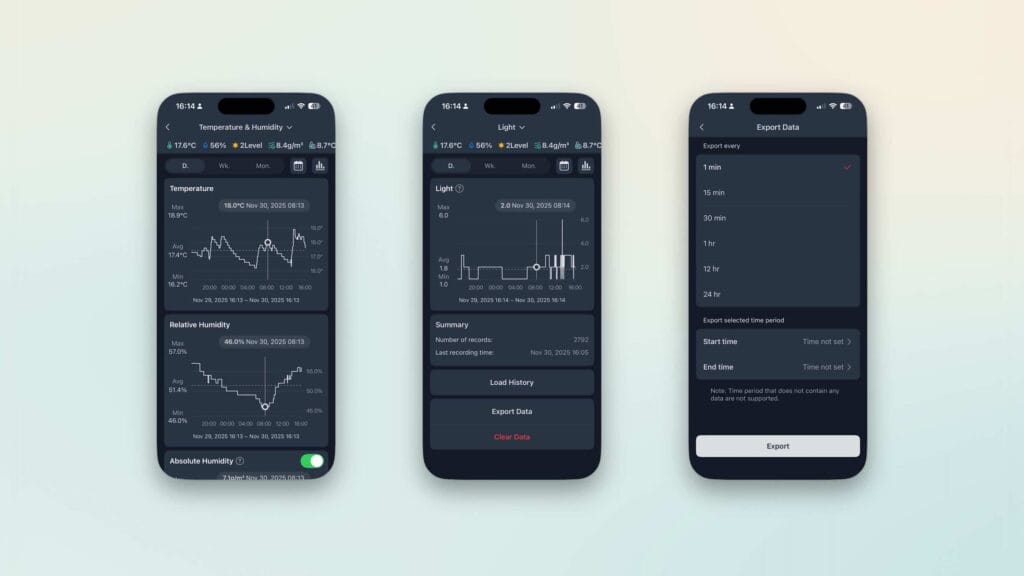
By enabling the “Store Data to Cloud” feature in the app, you can save sensor data for up to two years (SwitchBot’s cloud servers). This provides long-term insights into your home’s environmental conditions.
SwitchBot Hub 3 data in Home Assistant
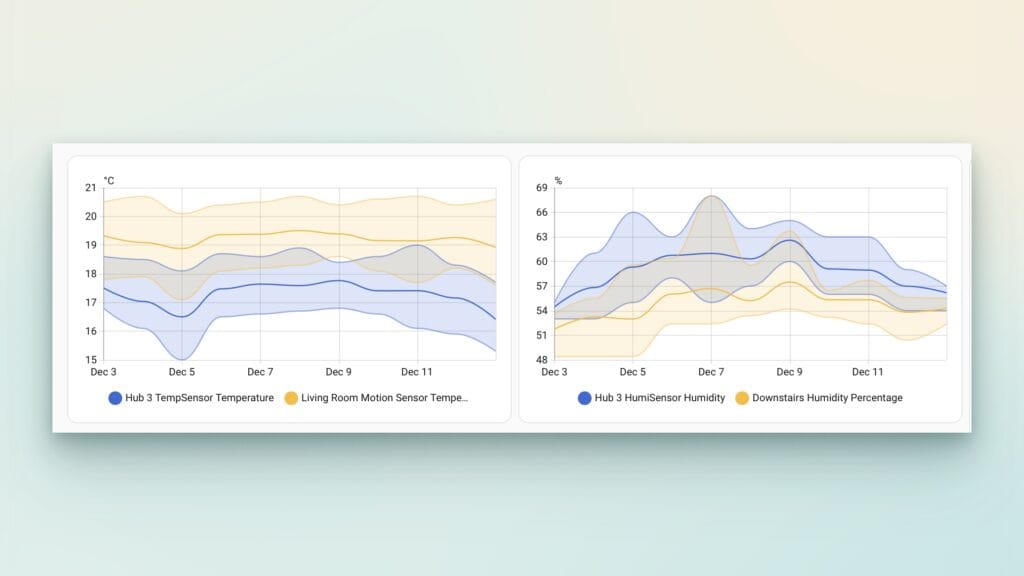
I have added the temperature and humidity data to a Home Assistant dashboard. I tracked the data against two sensors at the other end of a large room. The SwitchBot Hub 3 provides accurate temperature and humidity data. The fact it is mains powered makes it an ideal data source for triggering automations.
SwitchBot Hub 3 Conclusion
The SwitchBot Hub 3 [Ad] is a feature-packed smart home hub that integrates seamlessly with Matter, Bluetooth, and IR devices. With its intuitive setup, advanced sensor capabilities, and cross-platform compatibility, it simplifies home automation and enhances the smart home experience.
Whether you’re looking to control legacy IR devices or take full advantage of Matter enabled ecosystems the Hub 3 has it covered. The SwitchBot Hub 3 is a robust solution that will fit very well into any connected home.
Links
Buy the SwitchBot Hub3 (Amazon Ad)
Getting Started with Apple Home
Getting Started with Home Assistant

Discover more from The Smart Home Blog
Subscribe to get the latest posts sent to your email.