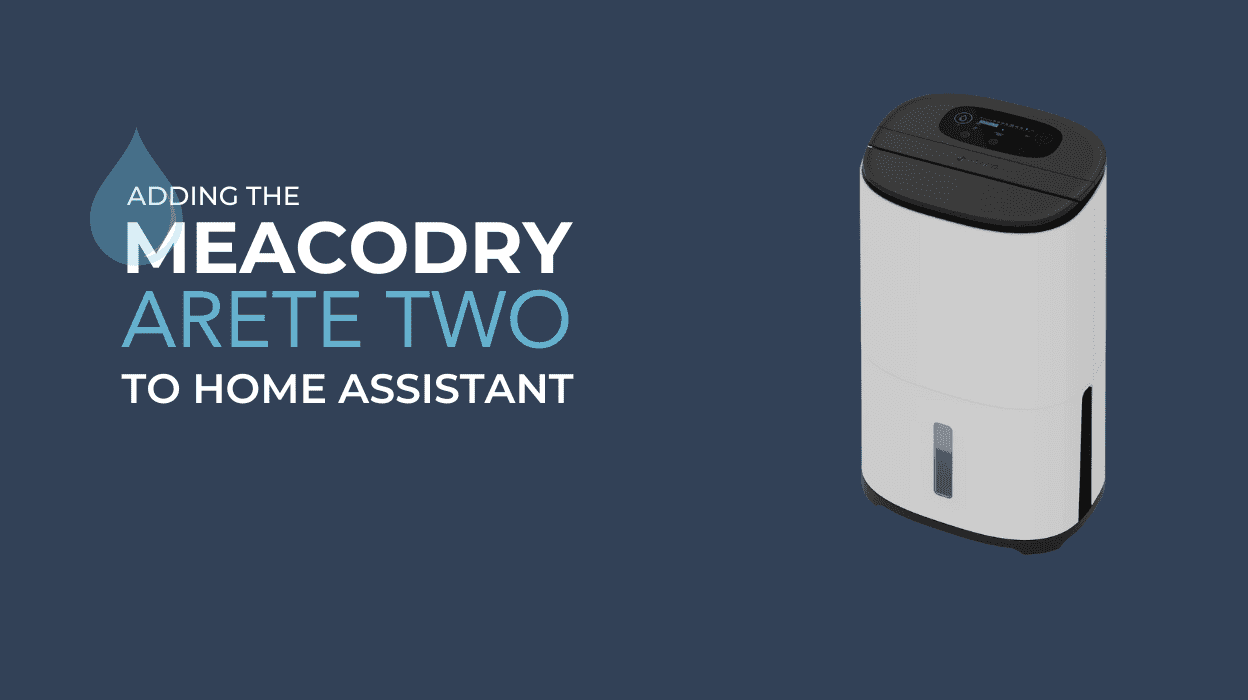
Damp and mould problems in homes are becoming increasingly common, frequently making headlines in the news. Tackling these issues can be a challenging task, but one effective solution is the use of a home dehumidifier, such as the MeacoDry Arete Two.
By reducing moisture levels in the air, a dehumidifier can significantly help in managing dampness and preventing mould growth.
We use the MeacoDry Arete Two dehumidifier [Ad] to efficiently maintain optimal humidity levels in our home. Equipped with a compressor, the unit works by extracting moisture from the air, addressing concerns such as dampness, mould, and condensation.

The dehumidifier features a user-friendly control panel, including convenient functions like auto restart, a digital humidistat, and an eco mode for energy efficiency.
The second generation of this model introduces Wi-Fi connectivity, allowing for remote control and easy access to settings via your smartphone or other devices.
Table of contents
Some Home Assistant users choose to pair a dehumidifier with a smart plug as a solution to controlling humidity. While this setup can be effective, it may shorten the lifespan of the dehumidifier due to the abrupt “hard stop” method of turning it off. This was my approach until I upgraded to the MeacoDry Arete Two.
MeacoDry Arete Two in Home Assistant
Disclaimer: While the following steps do not alter the functionality of your device, integrating the MeacoDry Arete Two with Home Assistant is done at your own risk. Always adhere to the manufacturer’s guidelines to ensure safe use.
Note: This process removes the device from the Meaco app and adds it to the Tuya Smart App. Ensure you’ve downloaded the Tuya Smart app and created an account. Follow at your own risk…
Step 1: Pairing the MeacoDry Arete Two with Tuya Smart
- Power off the dehumidifier and wait 10 seconds.
- Power it on and hold the clothes icon for 5 seconds until the Wi-Fi icon flashes.
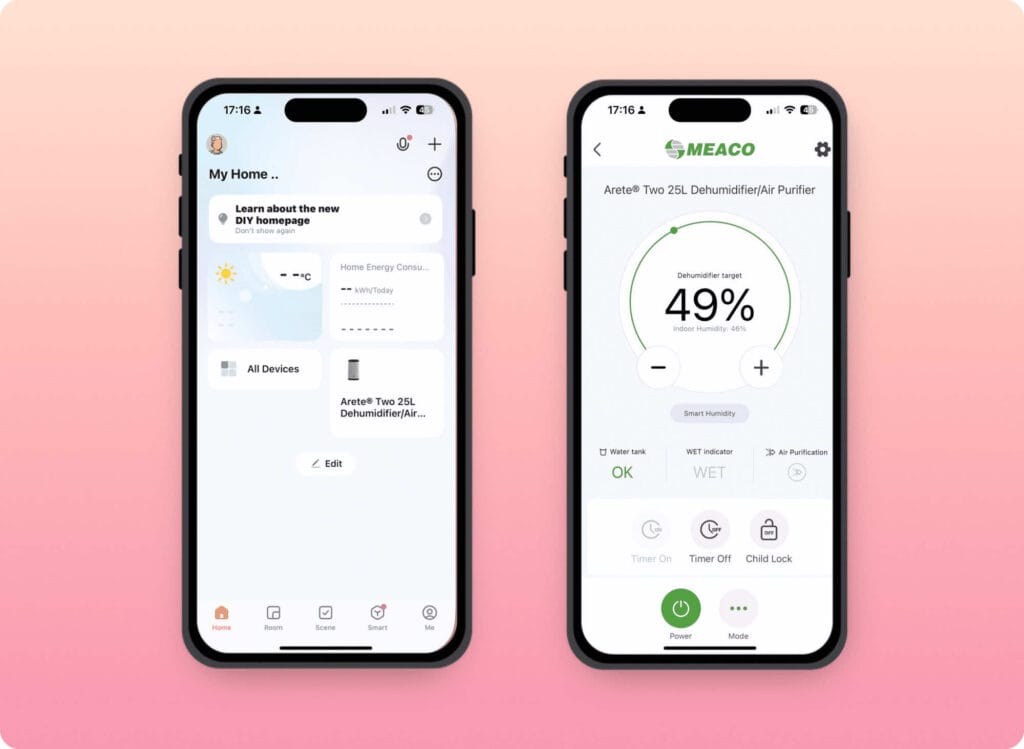
Tuya Smart App
- Open the Tuya Smart App and tap the + in the top right.
- Allow Bluetooth access. The MeacoDry Arete Two should auto-discover. Tap to add it to your account.
Step 2: Integrating Tuya with Home Assistant
- In Home Assistant, go to Settings > Devices & Services.
- Click Add Integration and search for Tuya Smart.
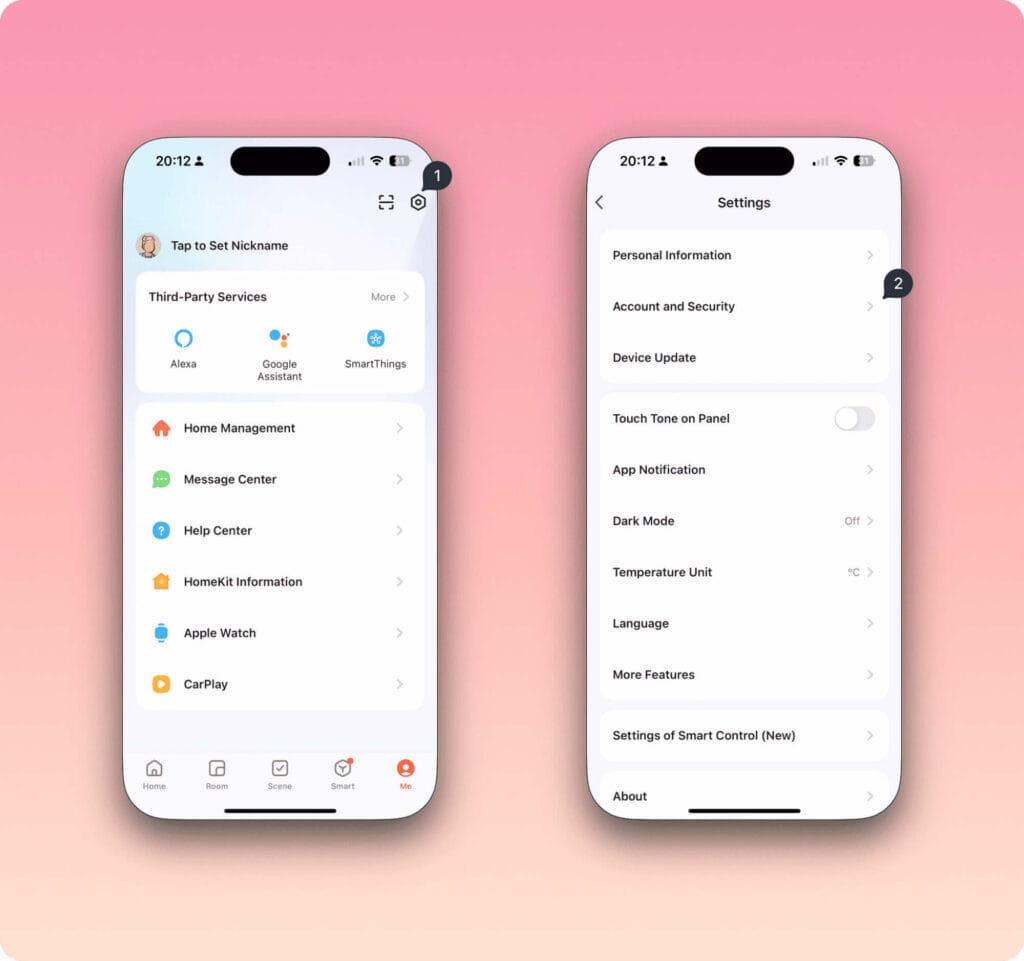
- Enter your user code from the Tuya app (found under Account & Security). See below.
Once paired, the dehumidifier will appear in Home Assistant, showing entities like humidity reading and the on/off toggle.
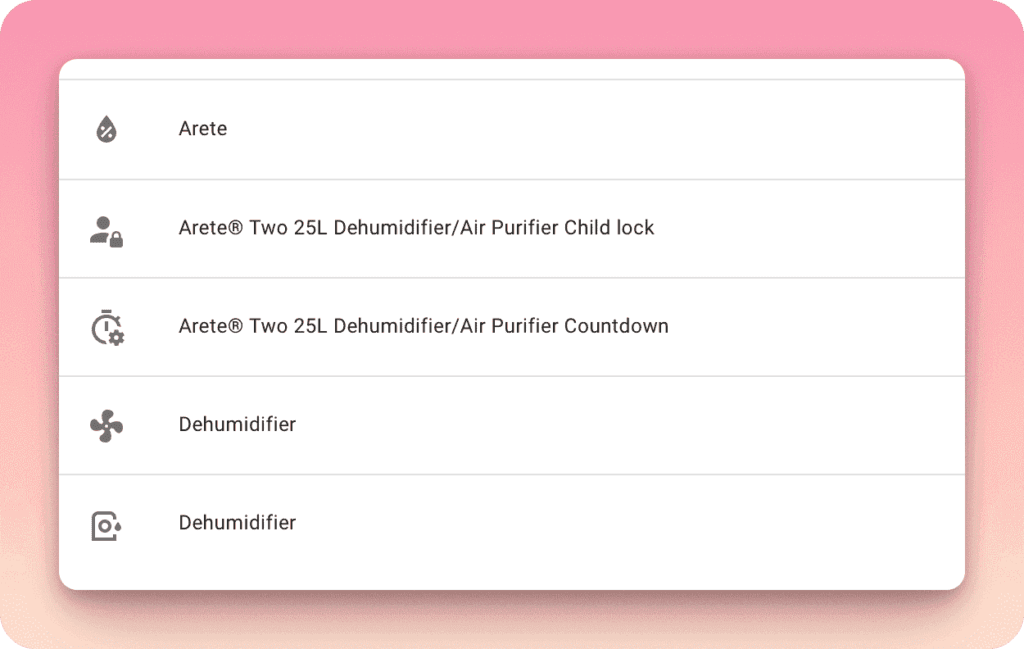
The humidity level reading is still accessible in Home Assistant even while the dehumidifier is in the off state.
Home Assistant Humidifier Control
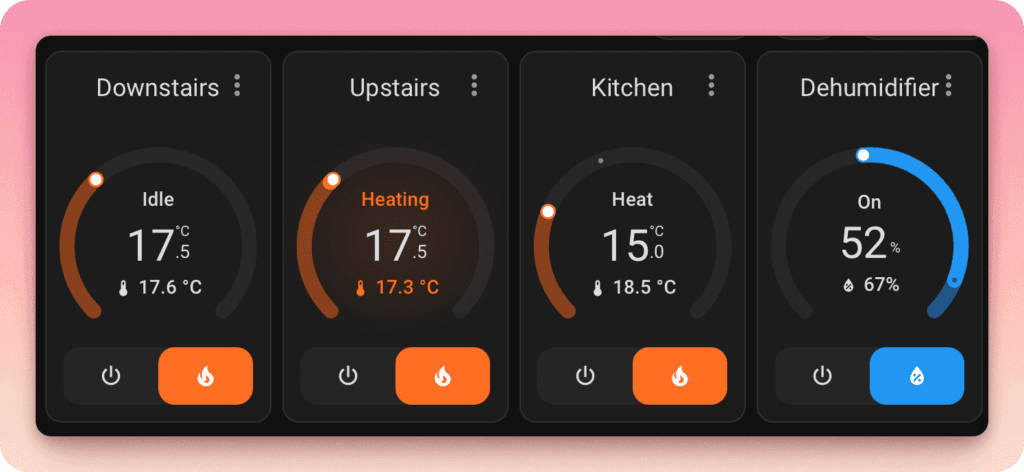
The MeacoDry Arete Two can be controlled in a manner similar to a thermostat on a HA Dashboard. I’ve set up an automation to turn the device off at 8 AM to take advantage of off-peak electricity rates (more on this later).
It’s also worth noting that even when the dehumidifier is turned off, it continues to report humidity levels to HA. This data can be displayed on your dashboard or used in graphical outputs for further analysis.
Energy Monitoring
I use an Eve Energy plug [Affiliate Link] to monitor energy consumption via Home Assistant, though the water level alert is only available in the Tuya Smart app.

Note: If the Child Lock is activated, it will lock the controls in the Meaco/Tuya app. If you find that the app controls are greyed out, this should be the first setting you check in Home Assistant.
By using Home Assistant to control when the dehumidifier operates, you can integrate other humidity sensors to trigger automated actions. In my setup, I have three humidity sensors in the room:
I can therefore trigger actions using all three or each as a sensor input.
Home Assistant Dehumidifier Automations
The MeacoDry Arete Two is already a highly intelligent device, capable of running 24/7 with minimal intervention beyond emptying the water tank.
However, integrating it with Home Assistant adds an extra layer of convenience. For instance, I prefer to completely power down the dehumidifier at night. Despite how quiet it is compared to other models, there’s no way I’m sleeping with it running. Night mode, which appears to be only accessible directly on the device, isn’t something I’ll remember to activate each time.
Additionally, I want to maximise my nighttime electric tariff, which is half the cost of daytime rates. These lower rates end at 8 AM in winter and 9 AM in summer, so activating the dehumidifier becomes part of my “good morning” routine. To streamline this, I’ve set up a simple automation to turn off the device at 8 AM. To get the best benefit I also ensure it targets a very low humidity level between 6am and 8am.
Direct control of the dehumidifier through Home Assistant is far more effective than my previous smart plug setup, as it provides greater flexibility and efficiency.
MeacoDry Arete Two Humidity Experiment
To provide a practical example of how effective the MeacoDry Arete Two is at reducing humidity, I conducted a simple, though unscientific, experiment. While this experiment may not provide precise data, it offers a useful demonstration of the device’s impact.
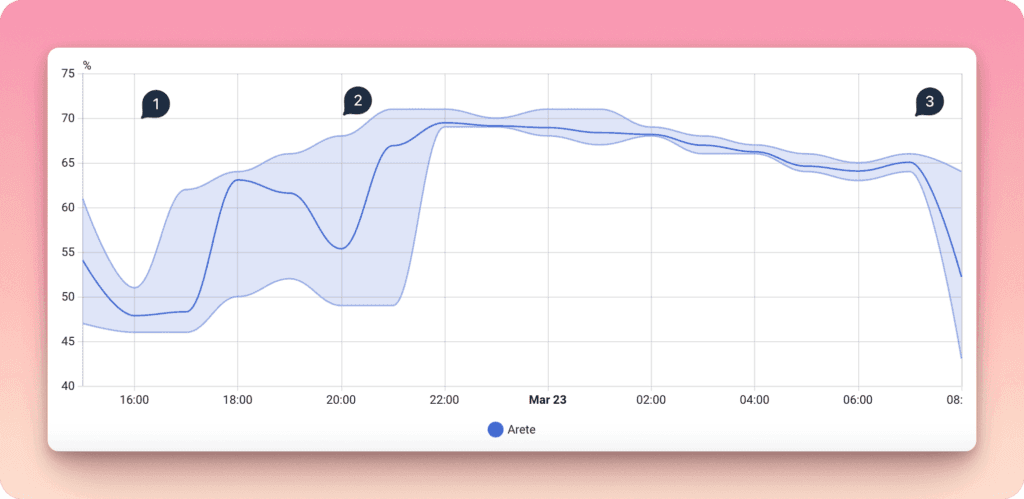
At Point 1, the dehumidifier was turned off to allow the humidity levels to return to their natural state. The device was then turned on at 6 PM and off again at 8 PM. You can see the minimum humidity level increase during this period. From 10 PM to 7 AM, the natural humidity slowly dropped, from approximately 70% to 65%. At 7:45 AM, the device was switched back on, and the effect on humidity levels became evident.
MeacoDry Arete Two Air Purification
It’s also worth noting that while the dehumidifier is actively reducing humidity, the air is simultaneously filtered through an H23 HEPA filter, which captures 99.75% of particles as small as 0.3 micrometers (μm) in diameter. This additional feature contributes to improved air quality in the space.
General Humidity advice
In the UK, the recommended humidity level for bedrooms typically ranges between 40% and 60% during the summer, and between 30% and 50% in winter. This range is ideal for maintaining comfort, enhancing sleep quality, and reducing the risk of problems such as mould growth and dust mites.
Humidity levels above this range can make the air feel stuffy and create potential issues, such as excessive moisture, mould, and discomfort. The MeacoDry Arete Two dehumidifier is perfectly suited for ensuring that humidity levels stay within this optimal range, helping to prevent these issues
Links:
Getting Started with Home Assistant Green
Government Guidance on Damp and Mould
Items Mentioned in this article:
As an Amazon Associate, I earn from qualifying purchases:
MeacoDry Arete Two 20L
MeacoDry Arete Two 25L
Eve Energy | Tapo P110M
As an Amazon Associate, I earn from qualifying purchases.

Discover more from The Smart Home Blog
Subscribe to get the latest posts sent to your email.