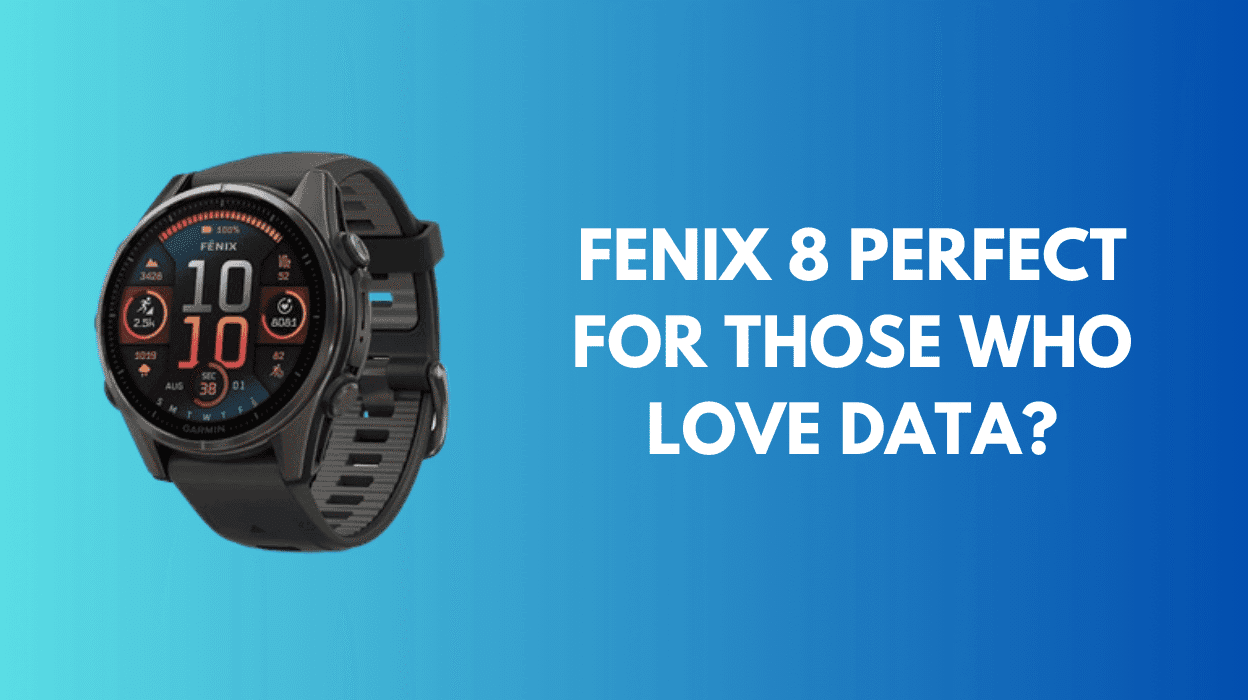
I have lost count of how many times I’ve bounced between Garmin and Apple over the years. It’s a little embarrassing, to be honest. For most of the last decade, I’ve worn a Garmin device. My first was the Garmin Fenix 3 which didn’t even have a built-in heart-rate sensor. The Garmin Fenix 8 is my latest smart watch chapter.
Historically, my forays into the Apple ecosystem have been short-lived. That changed with the Apple Watch Ultra 2. My most recent chapter with Apple lasted almost two years, which is a record for me. It’s an incredible device: the screen is nothing short of stunning, it’s fast, and it did everything I needed. However, there were niggles.
Contents
My brief experience with LTE was quickly deemed too expensive for what it delivered. Over time, I also began to miss the consolidated data experience of Garmin Connect. At one point, I was using three or more separate apps just to get a sense of my fitness and progress.

There’s a broad spectrum of overlap between the Garmin Fenix 8 [Ad] and the Apple Watch Ultra, but in my view they have different core focuses. In short: if you’re looking for a smartwatch with strong fitness features, the Apple Watch is excellent. If you’re looking for a fitness-focused device with some smart features, Garmin is the better fit.
Let me be clear: this isn’t a “one device is better than the other” argument. Both the Garmin Fenix 8 and the Apple Watch Ultra are outstanding devices. Ultimately, it comes down to personal preference and the fact that they’re both so good is exactly what makes the decision difficult.
The Apple Watch Ultra 2 didn’t fail me, the Garmin Fenix 8 won me back.
Over my two years with the Apple Watch, I realised how much certain aspects of Garmin Connect genuinely motivate and focus my attention on health and fitness. Much of the same data is available on the Apple Watch via third-party apps, but it’s often locked behind subscriptions and scattered across multiple platforms.
Checkout: the Garmin Epix Review.
In this post I will outline my initial set up and cover some of the features of the Fenix 8 and Garmin connect I particularly love.
Garmin Fenix 8: Initial Setup
Setting up the Fenix 8 was straightforward. I’d retained my Garmin Connect account, so it was simply a case of syncing, and I was ready to start recording data.
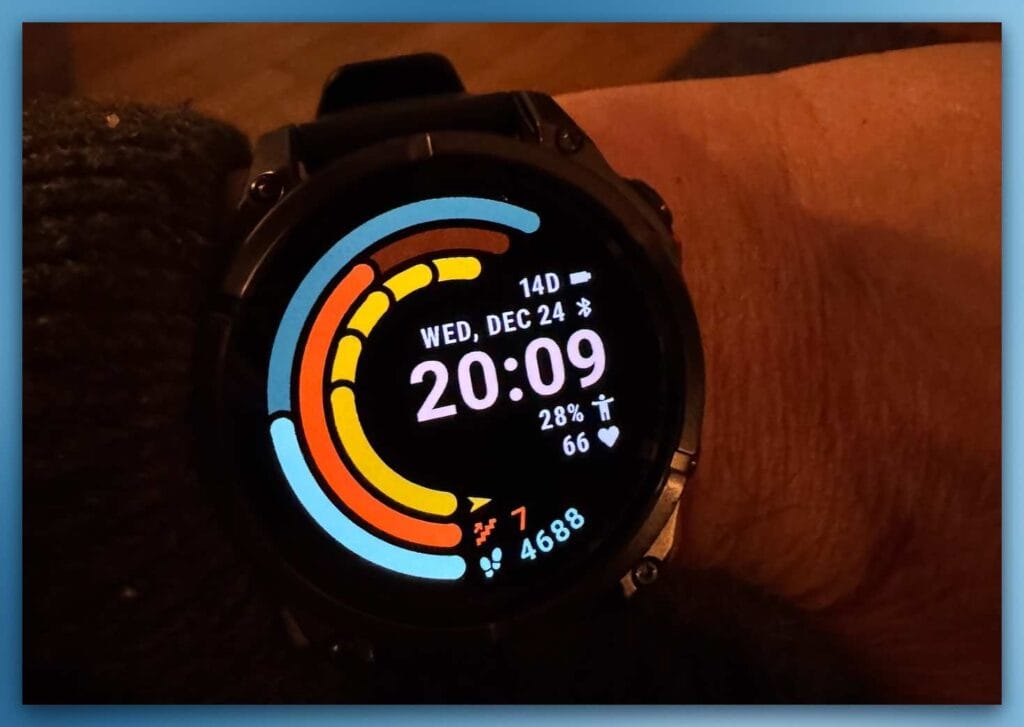
The first thing I did was change the watch face. I really don’t like Garmin’s default faces. I settled on two favourites: Goals and The Venu 4 Face (both paid, via Connect IQ).
If anyone knows of any good faces that don’t look like they belong on a 1980s digital watch, let me know in the comments. I will genuinely miss Apple Watch faces for their simplicity and design.
The screen itself feels noticeably improved compared to my Garmin Epix so much so that I reduced brightness from Medium to Low. I’ve also enabled Red Shift mode after sunset.
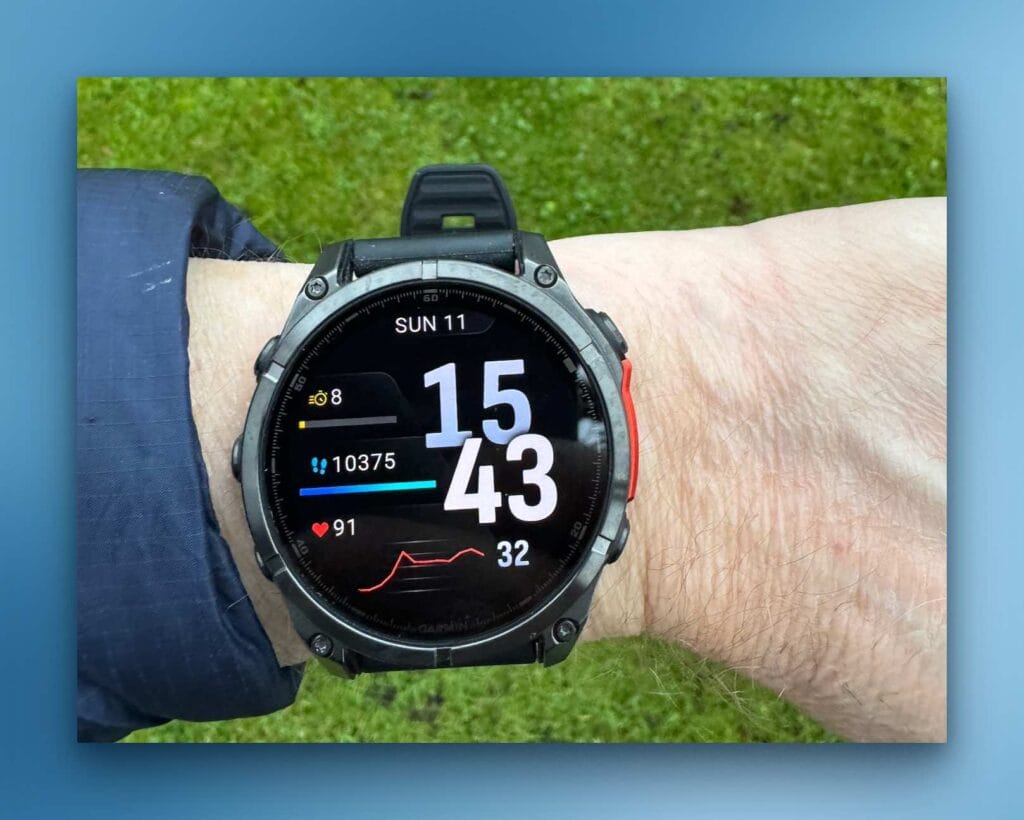
Fenix 8 Interface
It was only two years ago that I was wearing an Epix 24/7, but the buttons, haptics, and touchscreen all feel refined on the Fenix 8. I really do love being back to button-based controls (especially compared to the Apple Watch), particularly when starting activities.
There are four standout features of the Garmin Fenix 8 that are especially valuable:
- Multi-Band GPS Accuracy
The Fenix 8 supports multi-band GNSS (GPS, GLONASS, Galileo, etc.), delivering excellent accuracy even in challenging environments such as dense forests or busy cities. Features like turn-by-turn routing, topographic maps, breadcrumb trails, TrackBack, and ClimbPro ascent planning make navigation confident and reliable on trails, roads, and backcountry terrain. - Advanced Health & Performance Metrics
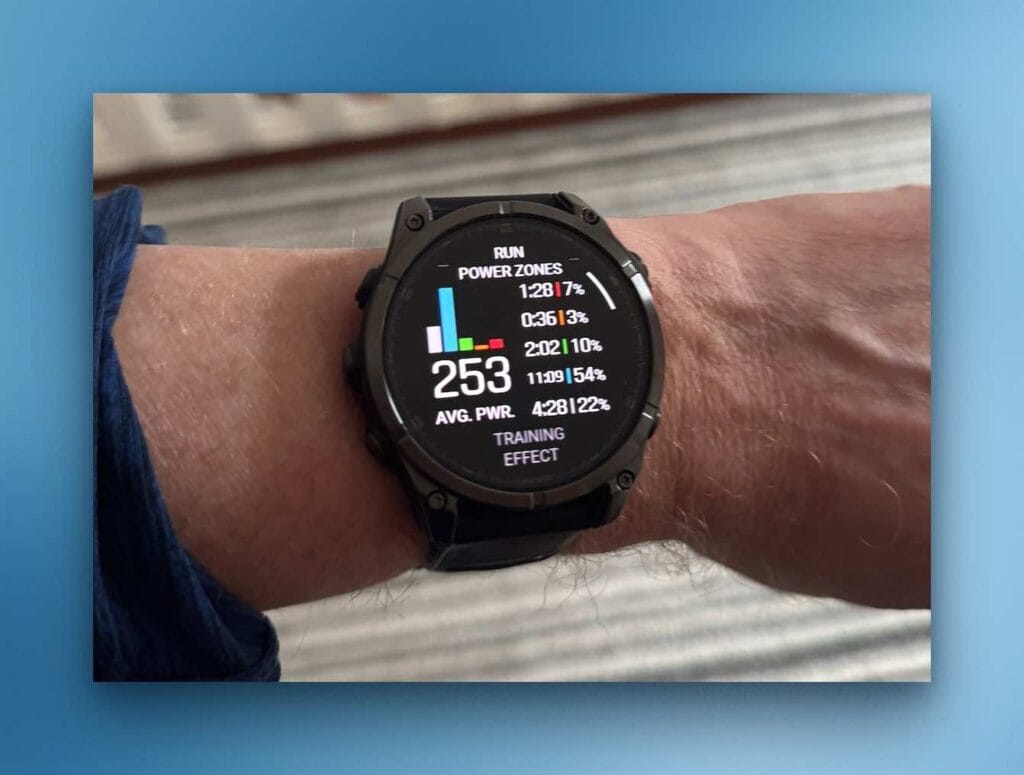
The watch tracks a wide range of metrics — VO₂ max, Training Load, Recovery Time, Training Readiness, Body Battery™, sleep stages, and more — offering deep insights into fitness, stress, and recovery. - Long Battery Life
The Fenix 8 is built for endurance: multiple days of use even with GPS and health monitoring enabled, plus specialist modes (such as Expedition) that extend battery life into weeks. It’s ideal for multi-day adventures. - Rugged, Outdoor-Ready Design
With military-grade durability (thermal, shock, and water resistance) and a bright, always-on display that’s easy to read in direct sunlight, the Fenix 8 is clearly designed for demanding outdoor conditions. - The Garmin Fenix 8 delivers a comprehensive set of health and performance metrics, presented with a high level of precision and clarity.
Fenix 8: The First Few Weeks
The first week was all about settling in. I was already familiar with the Garmin interface, but I made a few tweaks via the Garmin Connect app:
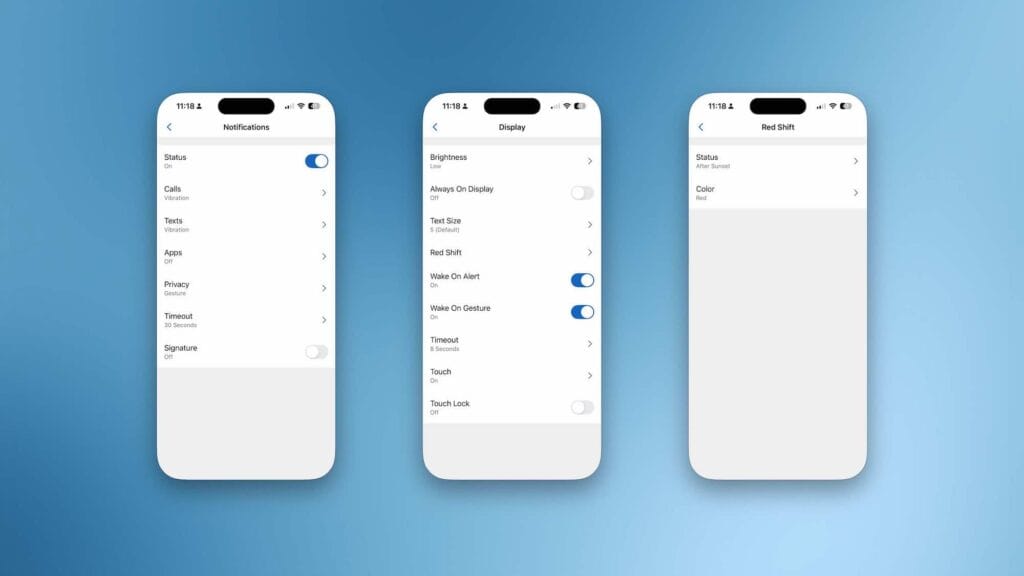
- I turned off most smart notifications, keeping only calls and texts. App notifications were just too much.
- I enabled Red Shift during sundown hours.
- I set up Garmin Pay. There are fewer supported banks than Apple Pay, but thankfully mine is included.
- I enabled hydration tracking, this required a free ConnectIQ add-on.
Hydration Tracking
Garmin integrates with MyFitnessPal, but hydration data doesn’t sync across. Instead, Garmin offers a hydration app/glance via Connect IQ.
Ultimately, hydration needs to be logged either in the Connect app or directly on the watch. It would be great to see more third-party integrations here, especially given the growing number of smart (albeit expensive) water bottles.
Weight Tracking
I previously used a Garmin S2 scale, [Ad] so I was used to body metrics syncing directly into Garmin Connect. I wasn’t a huge fan of the S2 and later moved to the Withings ecosystem. [Ad]
Unfortunately, Withings doesn’t sync directly with Garmin. However, both can connect to MyFitnessPal, which then syncs weight data from Withings into Garmin. Only weight and BMI transfer, but that’s all I really need.
If you don’t use MyFitnessPal or opt for Garmin’s own nutrition tracking (which I’ll cover later) services like www.smartscalesync.com offer a useful bridge between various scale platforms and Garmin.
Garmin Fenix 8 Battery Life
It’s refreshing not having to charge every morning. To be fair, this was never a major issue for me: the Apple Watch Ultra 2 charged quickly while I was in the shower, and I can only recall one occasion where battery life was genuinely a problem.
That said, it still feels strange to have around 40% battery remaining after four to five days of use. There were a number of occasions when I spotted the battery icon was less than half full and charged the device despite there being five full days of battery remaining.
See: Working with Garmin .FIT files.
Garmin Fenix 8 Torch
I had the torch on my Garmin Epix and barely used it. The Fenix 8 torch, however, has already proven its worth. While staying on the coast, there were two occasions where it genuinely saved the day.
The beam is surprisingly impressive for such a small strip on the front of the watch. When Red Shift is active, the torch defaults to a low-light red mode, which is ideal at night.
The Garmin Data Advantage
My move back from the Apple Watch Ultra 2 to the Fenix 8 was largely driven by unified data. Most of this data is probably available on the Apple Watch, but accessing it required multiple apps.
With Garmin, everything is collated in one place and interrelated. I also really value being able to access my data via a web browser, not just through a phone app, even if that approach isn’t popular with everyone.
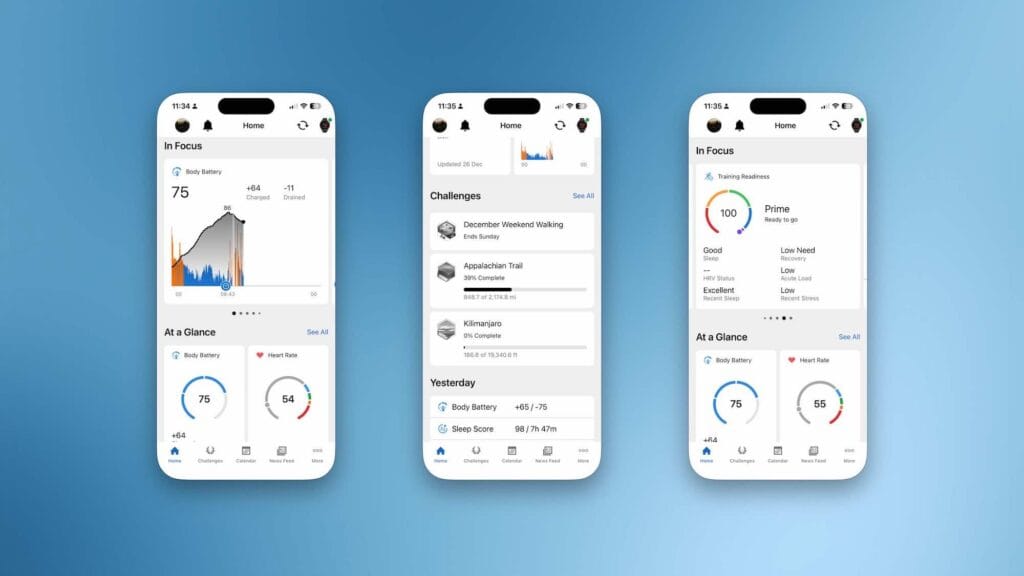
Garmin Connect: Centralised Data
Despite being something of a walled garden, having all my health and fitness data in one place is a major advantage. The web interface, in particular, is excellent for deeper analysis.
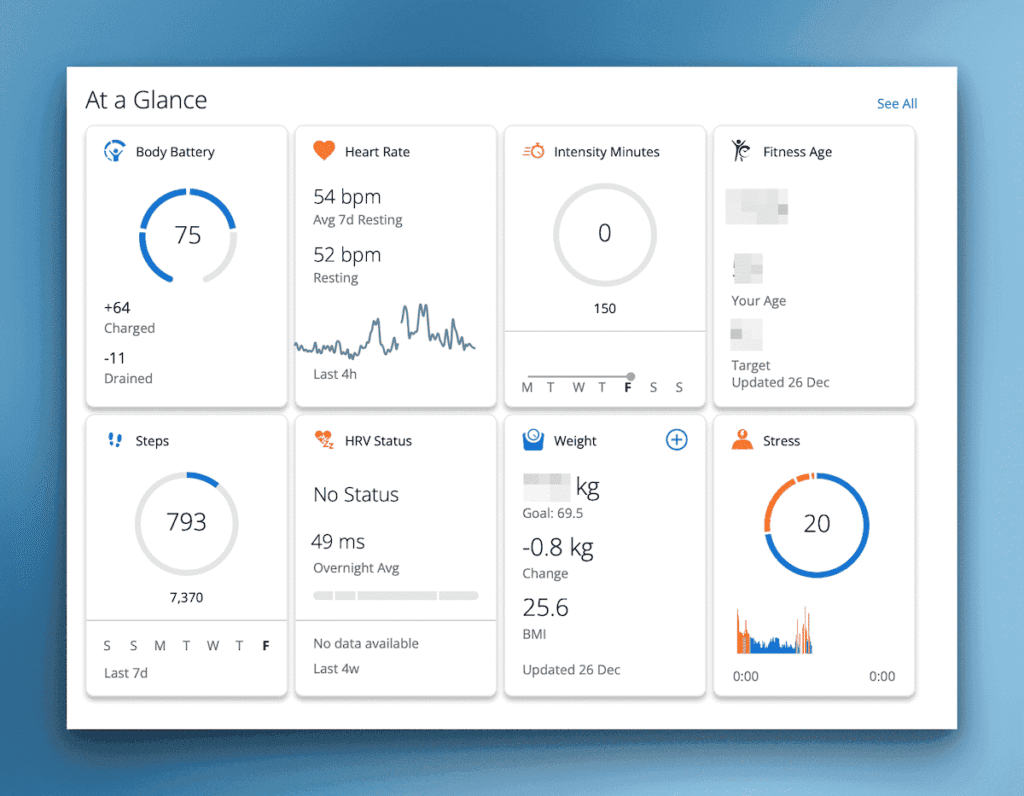
The only data I currently have to enter manually is blood pressure. I use a Withings BP monitor, [Ad] and while manual entry is a hassle, I can’t quite justify the spend on a Garmin Index BP monitor [Ad] just to avoid entering three values each time.
Morning & Evening Reports
The Fenix 8 offers a Morning Report and optionally an Evening Report providing a concise overview of your health, fitness status, and the day’s weather. It’s a simple but effective way to start the day with focus.
30 Days with the Apple Watch
Fixing Garmin .fit Files
Garmin Epix Review
Garmin Connect+
I decided to try the 30-day Garmin Connect+ trial, and as someone who loves data, I’ve been impressed so far. Interestingly, it reminds me of the old Garmin Connect dashboards from three or four years ago.
You can create multiple custom dashboards, with Garmin providing templates for activities like running and cycling.
The standout feature for me is Live Activity sharing. You start an activity on the Fenix 8 (not from the phone), and the Garmin Connect app prompts you to view it live.
This works well for indoor activities like strength training or treadmill runs and helps bridge the gap if you’re used to the screen-based experience of Apple Fitness+. The service offers a live data screen on your phone featuring a range of metrics including a little heart rate graph.
Garmin Connect+ AI Feedback
The AI feedback is an interesting addition to Connect+. Sometimes it’s genuinely insightful; other times it simply restates what you already know. I expect this will improve over time. One highlight was feedback identifying a particularly stressful day and offering suggestions to help unwind before sleep.
Garmin Connect+ Nutrition Tracking
During the trial, Garmin also announced a new nutrition tracking service (exclusive to Connect+). I’ve tried and failed many times to track nutrition consistently, usually lasting only two or three days.
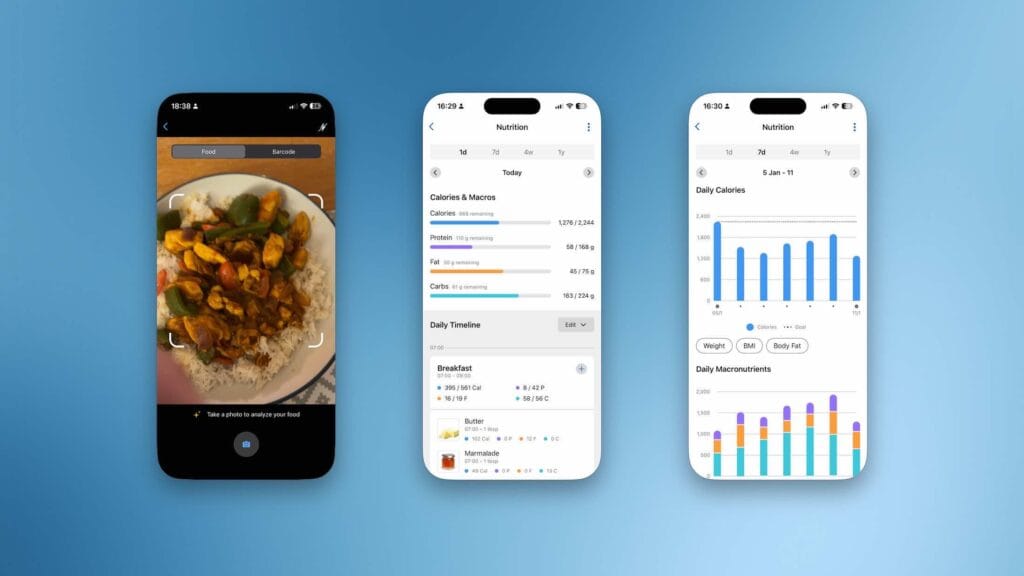
Garmin’s implementation is surprisingly easy to use, and I’ve managed to stay consistent so far. The AI analysis of photos is pretty good but needed some manual adjustments on a few occasions, nothing too far out though.
Badges for Nutrition Tracking
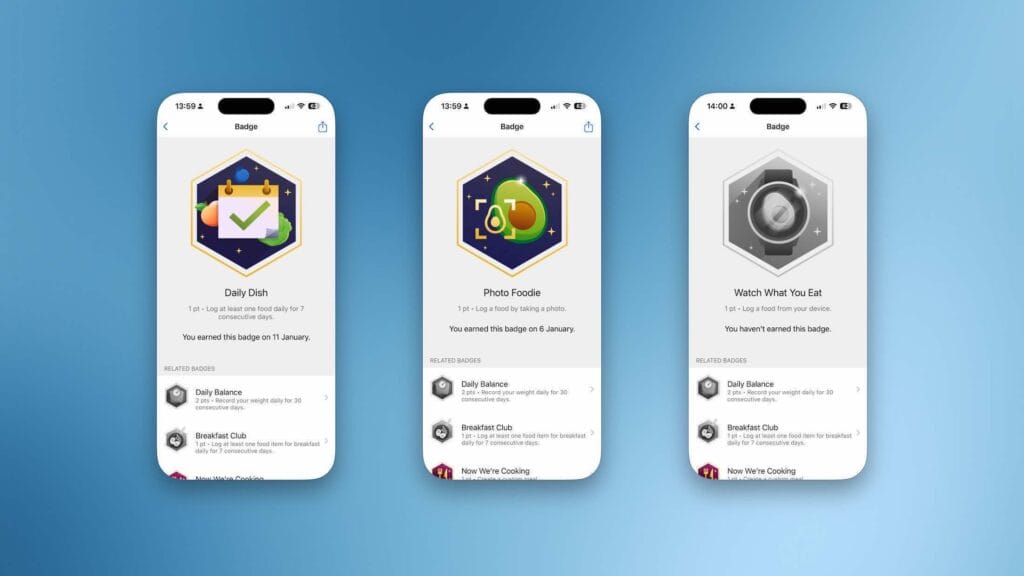
One limitation I noticed is that nutrition data shared with Apple Health via MyFitnessPal doesn’t currently sync from Garmin. Hopefully, this improves over time.
Whether I’ll continue the subscription beyond the trial remains to be seen, but so far I’m leaning yes. The food tracking and additional data views tip the balance for me although I still can’t seem to change the Connect+ dashboard weight units to kilograms, despite setting KG everywhere else.
Garmin and Apple Health
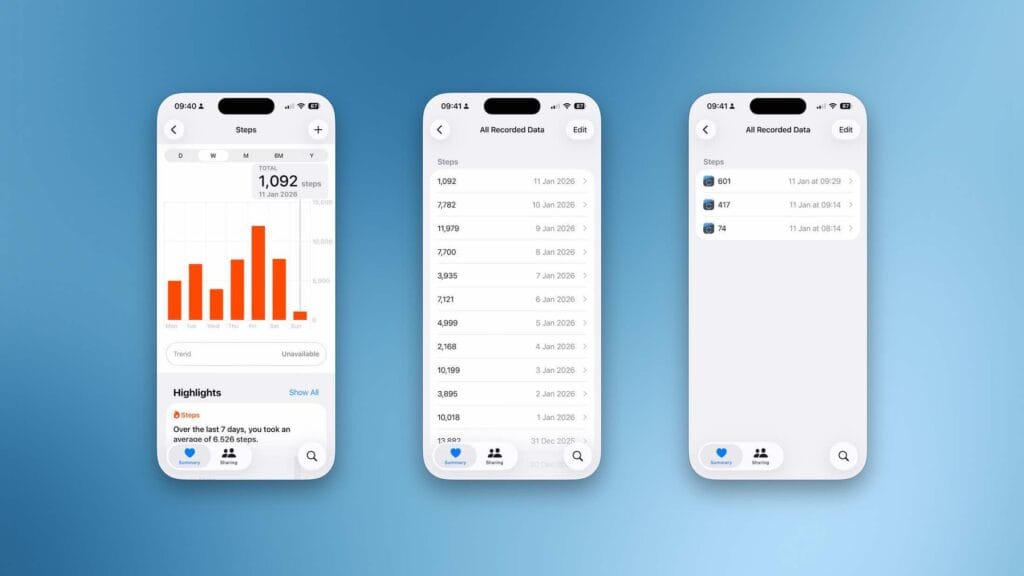
Most Garmin data can be shared with Apple Health, and you have full control over what syncs. At the time of writing, nutrition data from Connect+ doesn’t transfer to Apple Health, although hydration data does.
Garmin Badges
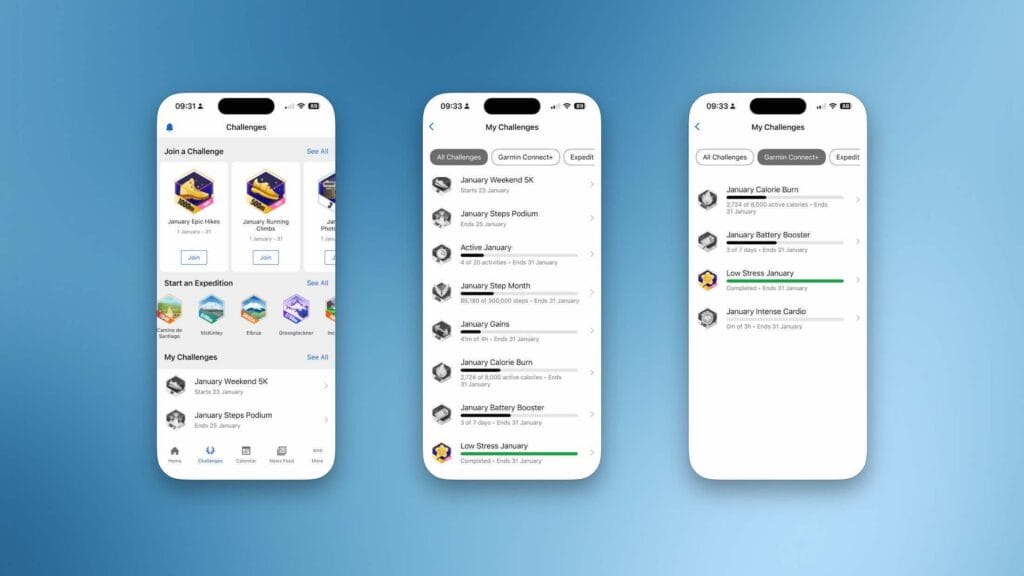
Garmin badges are monthly challenges designed to boost motivation. You can track progress directly in the Connect app and Connect+ unlocks even more challenges. I don’t check them daily, but if I notice I’m close to completing one, I’ll push to earn the badge.
Garmin Pay
As mentioned in the Garmin Epix review the Apple Watch remains the gold standard for everyday smartwatch features. Garmin have their own Garmin Pay service that I find works perfectly well, the only drawback is not all banks support the service.
Garmin and Home Assistant
Some Garmin devices can integrate with Home Assistant via a Connect IQ app. I haven’t explored this yet, but you can find the integration here.
Garmin Fenix 8: Conclusion
Everyone is different, but I’m clearly motivated by data, my Home Assistant dashboards make that obvious. After a month with the Garmin Fenix 8, I’ve confirmed that I prefer having all my health and fitness data in a single platform, accessible via both app and web browser.
If you want a comprehensive, high-end health and fitness setup today, the Fenix 8 paired with smart scales and a blood pressure monitor delivers accurate, deeply interconnected data. Add Garmin Connect+, and you unlock hours of analysis through graphs, maps, and challenges.
At this point, I really don’t have an excuse for being unfit.
Garmin Fenix Accessories
Garmin Fenix 8 on Amazon [Ad]
Charging Charging Puck [Ad]
Screen Protector (also comes with dust plugs) [Ad]
Dust Plug Compatible with Garmin Fenix [Ad]
Garmin Index BP monitor [Ad]
Garmin S2 scale, [Ad]
Follow Us
We would love if you could follow our social accounts (Instagram , Facebook Bluesky). You can also follow us via our RSS Feed or join the (no spam) mailing list, see the bottom of this article.
As an Amazon Associate this website earns from qualifying purchases.

Discover more from The Smart Home Blog
Subscribe to get the latest posts sent to your email.