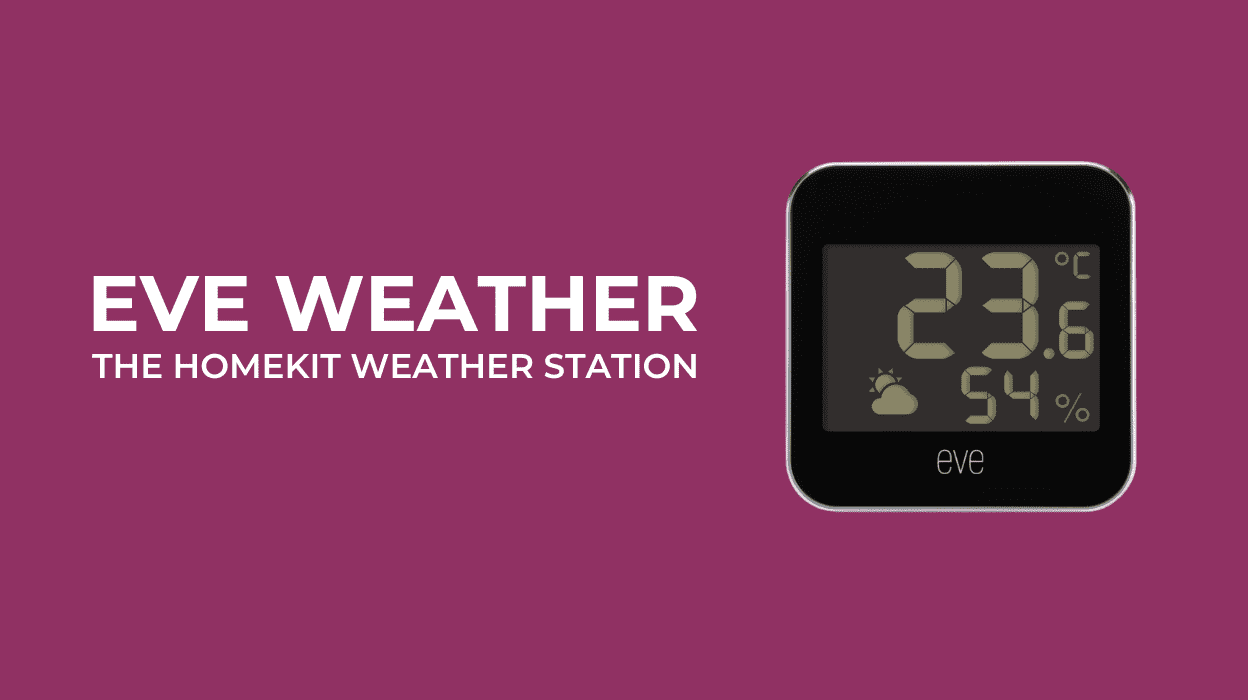
Eve Weather was my first introduction to smart home weather stations a number of years ago. Designed for precise, real-time environmental data, it seamlessly integrates with Apple HomeKit, making it a valuable addition to any smart home ecosystem.
Table of contents
Eve Weather and Home Automation
Eve Weather (Ad) is part of the Eve Home line of automation products and is compatible with Matter complaint smart home systems (Apple HomeKit, Home Assistant, Google Home etc). This allows users to easily incorporate live weather data into their smart home setup.
See also: Getting Started with Eve Aqua and Adding Eve Thermo to Home Assistant.


The Eve Weather station measures key weather parameters such as
- Temperature,
- Humidity, and
- Weather trends / Air pressure.
Temperature and Humidity are both available in the Home App. The Eve app provides additional real-time data and insights into current conditions, historical trends, and forecasts. Link: The Eve Weather on Amazon [Ad]
Despite owning a professional weather station (See: Getting Started with the Ecowitt Wittboy), I still use the Eve Weather station to provide weather data within the Apple Home ecosystem. This also allows me to use Siri for quick updates on temperature and humidity levels in the garden throughout the day.
Eve Weather Design
The weather station features a sleek, minimalist design, making it a stylish yet functional addition to any outdoor space. The device is IPX4 water-resistant, though I recommend keeping it out of direct sunlight for more accurate temperature readings.
Eve Weather connects wirelessly via Thread, eliminating the need for Wi-Fi while ensuring long-range connectivity with low energy consumption, which helps extend battery life. With Matter support, it can integrate with multiple platforms, including iPhone, Android, Alexa, Siri, and Google Assistant.
Getting Started with Eve Weather
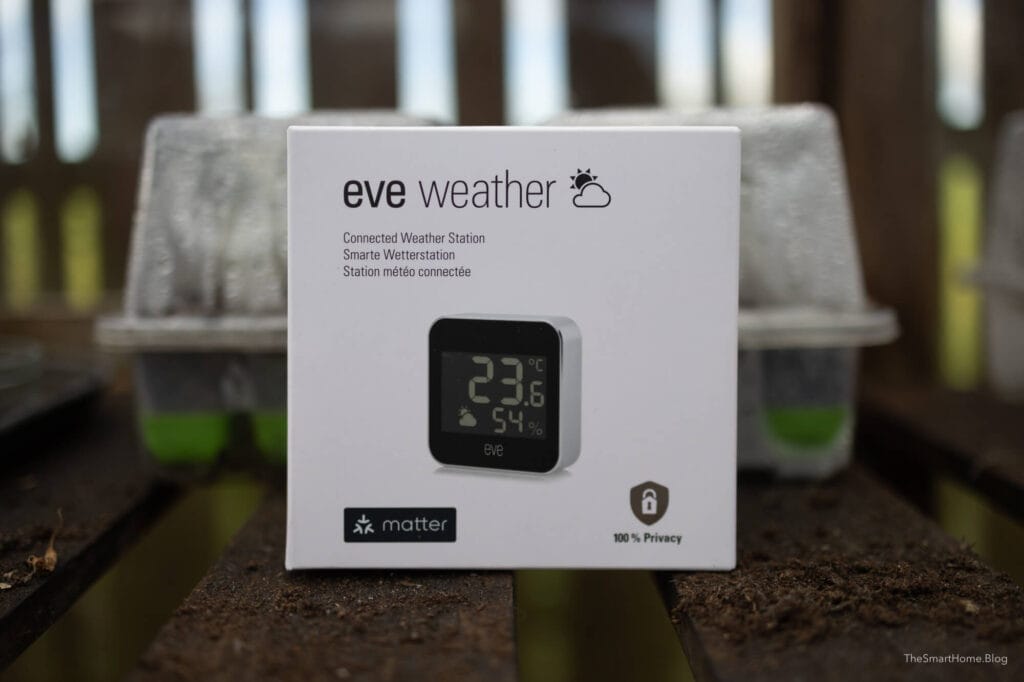
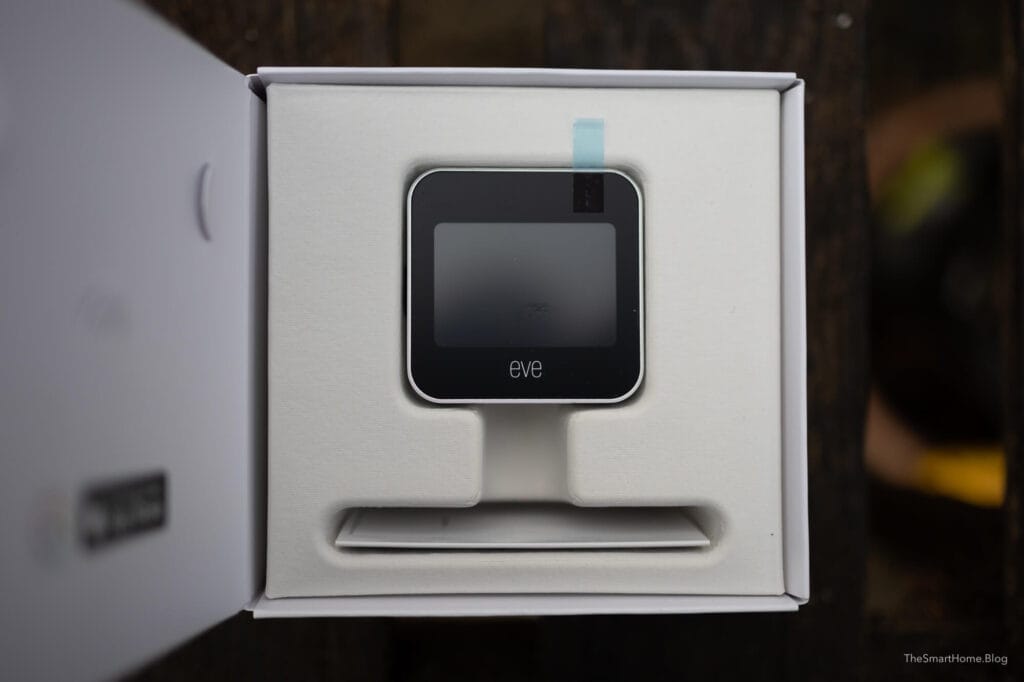
I recently upgraded to the Matter version of Eve Weather and captured some unboxing photographs. Click for a larger view.
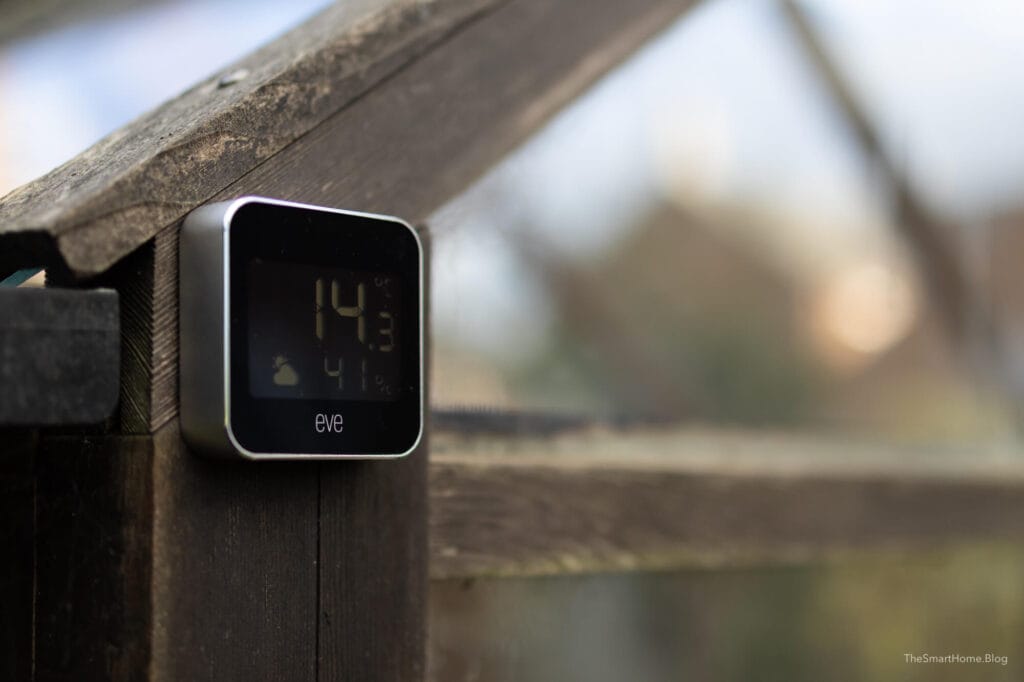
With its ease of use, seamless Apple HomeKit integration, and accurate readings, this device is ideal for environmental monitoring and weather-triggered automations. When paired with Home Assistant, you can also trigger temperature and humidity notifications via the Home Assistant companion app.
Eve Weather and HomeKit
Eve Weather integrates effortlessly with the Apple Home app, offering a simple and user-friendly experience for tracking weather data. It only takes three or four minutes to set the Eve Weather (Ad) App up and have it reporting real time data to the Apple Home App.
Adding Eve Weather to HomeKit is as easy as three steps:
- Open the Apple Home App and tap +.
- Select Add Accessory.
- Scan the HomeKit Code and follow the prompts.
Once added, the device provides real-time temperature, humidity, and air pressure measurements in the Home App, enabling automation such as triggering watering schedules based on weather conditions. (See Eve Aqua Review).
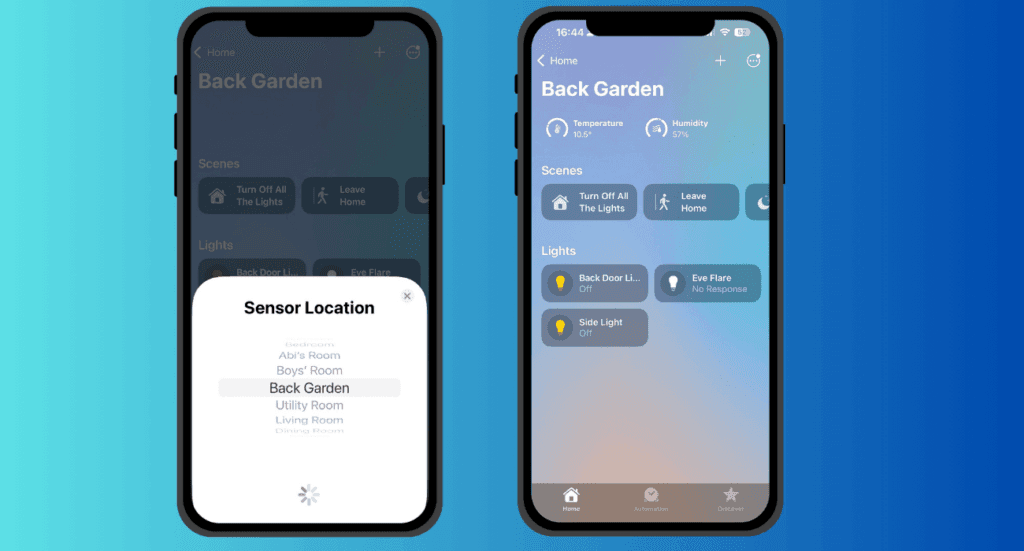
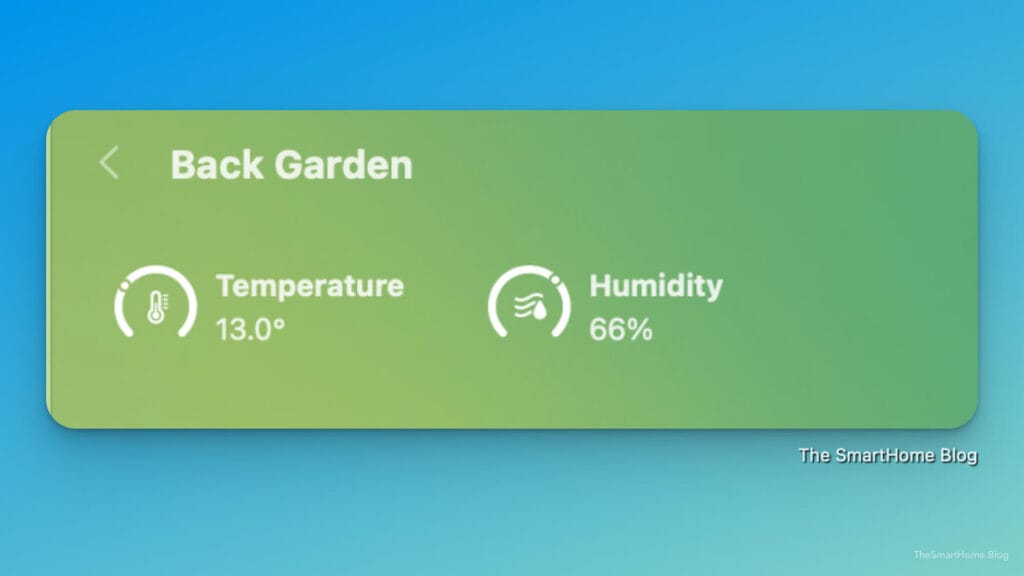
The real-time measurements are available along the top of the Apple Home App on all devices. Unfortunately it is not possible to access historical data in the Home App. The image below shows a screen shot of the weather data in the desktop Home App.
Eve Weather in The Eve App
The Eve app offers the same data and controls as the Apple Home app but with additional features and benefits. It provides historical data and trends, allowing you to track changes over time. With easy access to comprehensive weather insights, integrating them into your smart home routine becomes effortless.
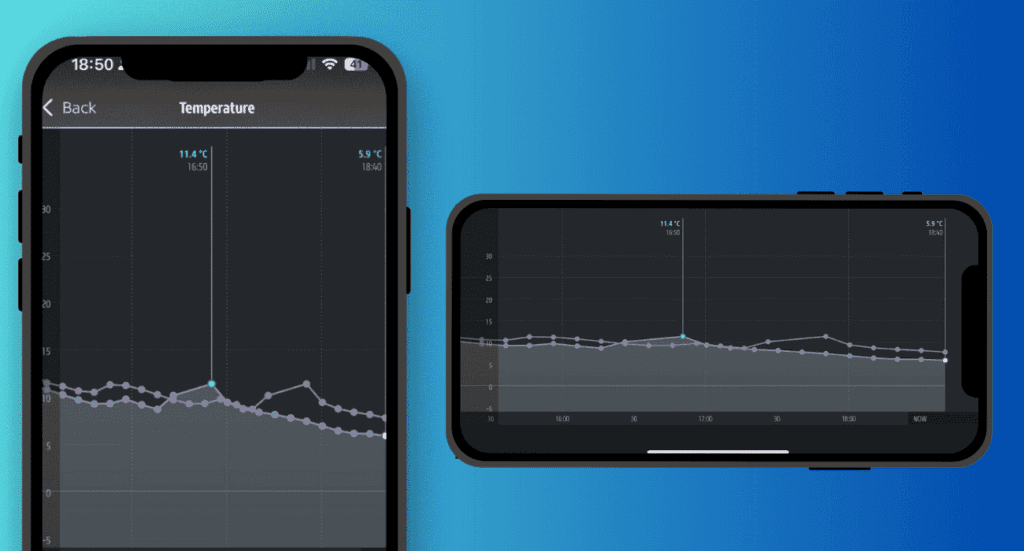
Rotating your iPhone to landscape orientation allows for a fuller view of the data. The same data is available via the Eve iPad and Desktop app.
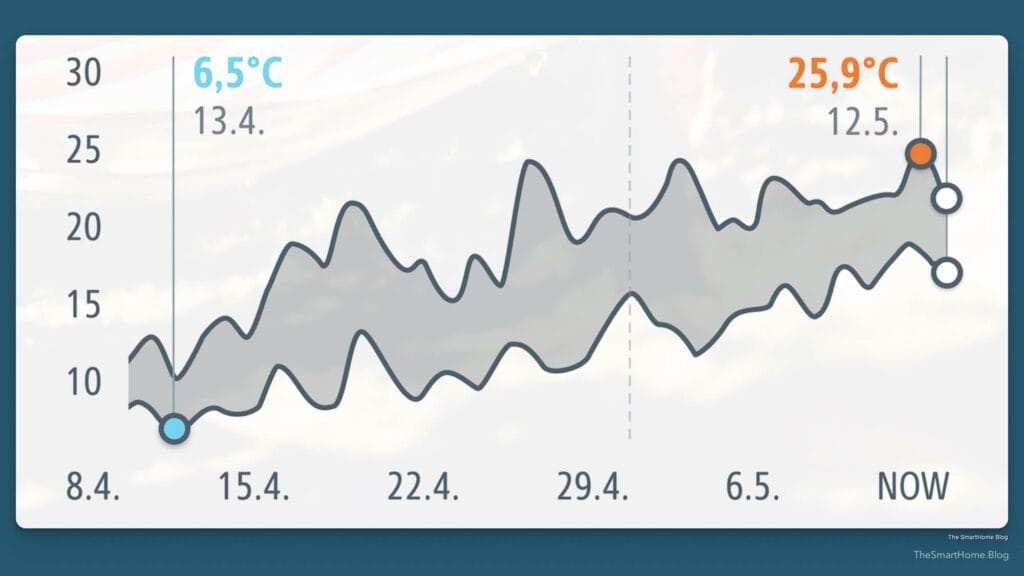
It is also possible to export date (CSV) from the Eve App if you want to perform more detailed analysis.
Eve Matter and Home Assistant
Adding the Eve device to Home Assistant is relatively straightforward. The first stage involves setting the device to pairing mode in the Apple Home App.
- Open the Apple Home app, and go to the settings of the Eve Weather (click on temperature).
- Select “Turn on Pairing Mode,” and the Home app will provide a unique pairing code for the device. It’s easier to use the mobile app as it allows you to easily copy and paste this code.
- Now, open the Home Assistant Companion App on your mobile device.
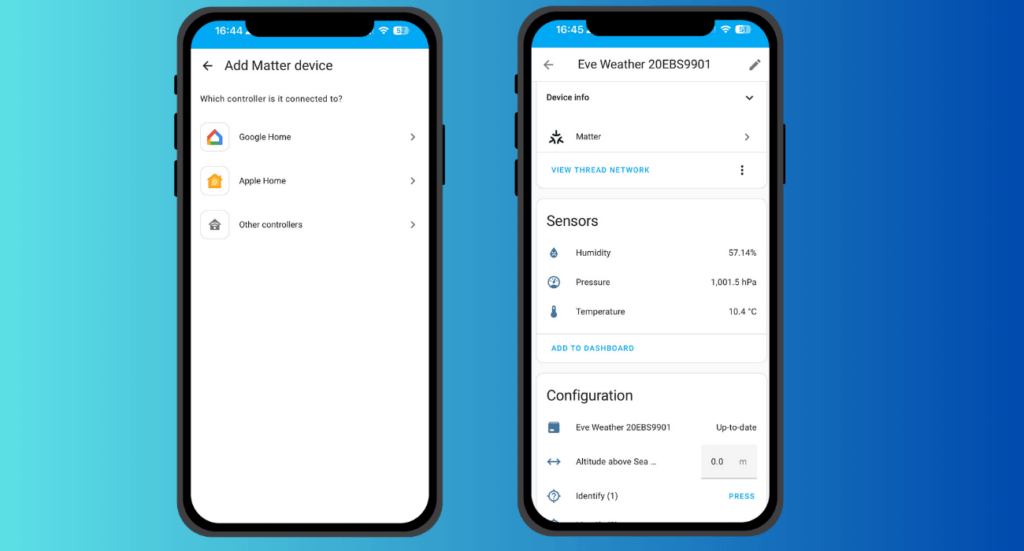
- Go to Settings > Devices and Services > Matter and click on the devices option.
- Click the blue “Add Device” button at the bottom-right.
- Select the device is already in use and then tap ‘Apple Home’.
- Now paste the pairing code provided by the Apple Home app.
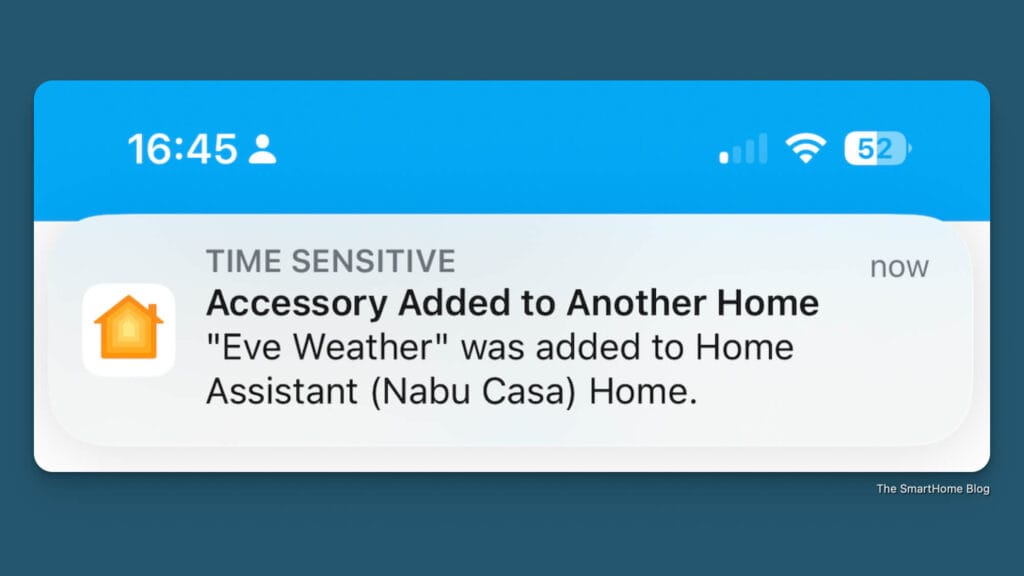
- After a few minutes, you should see a confirmation that the device has been successfully added to Home Assistant.
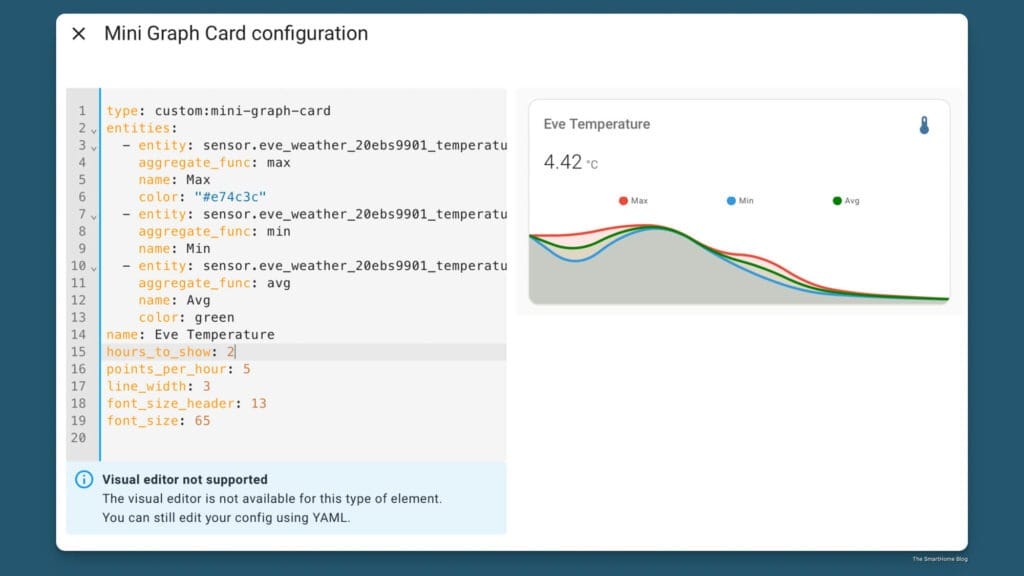
Home Assistant enables data logging and automation. I created a dedicated dashboard for Eve data and added three mini graphs: Temperature, Humidity, and Pressure. Customising the YAML with a template is straightforward
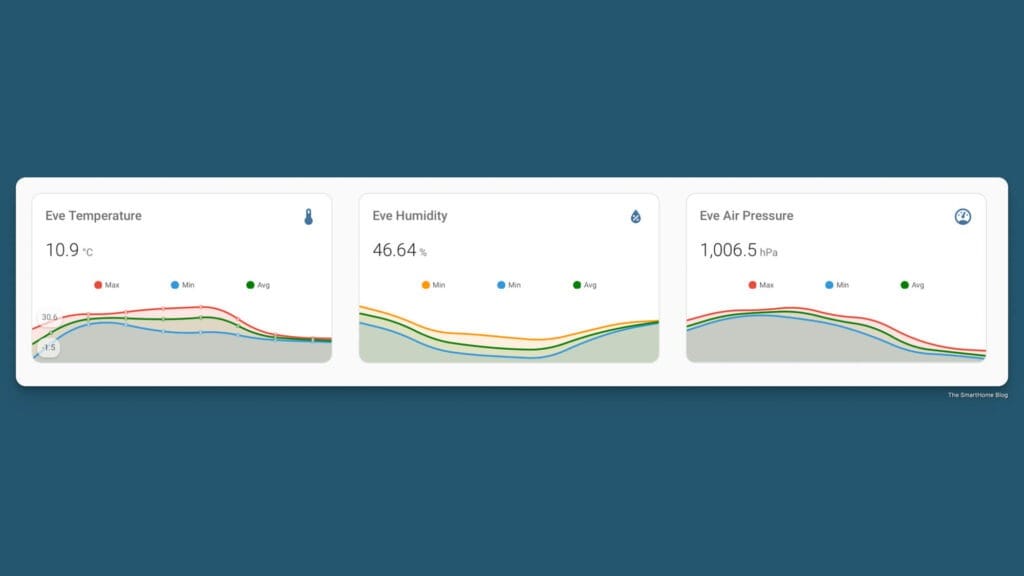
Home Assistant makes it easy to customise the mini graphs. Simply delete everything after ‘sensor.’ and start typing ‘temp. Home Assistant will automatically populate a list of all your temperature entities. Alternatively, type ‘eve’ to view all Eve-related entities.
Comparing Data with a Professional Weather Station
Running two weather stations on different smart platforms is only useful if their data aligns. To test this, I conducted a direct comparison between the Eve Weather and the Ecowitt station.
Both devices are positioned approximately one meter apart and at the same height above ground level.”
Comparison: Temperature Data
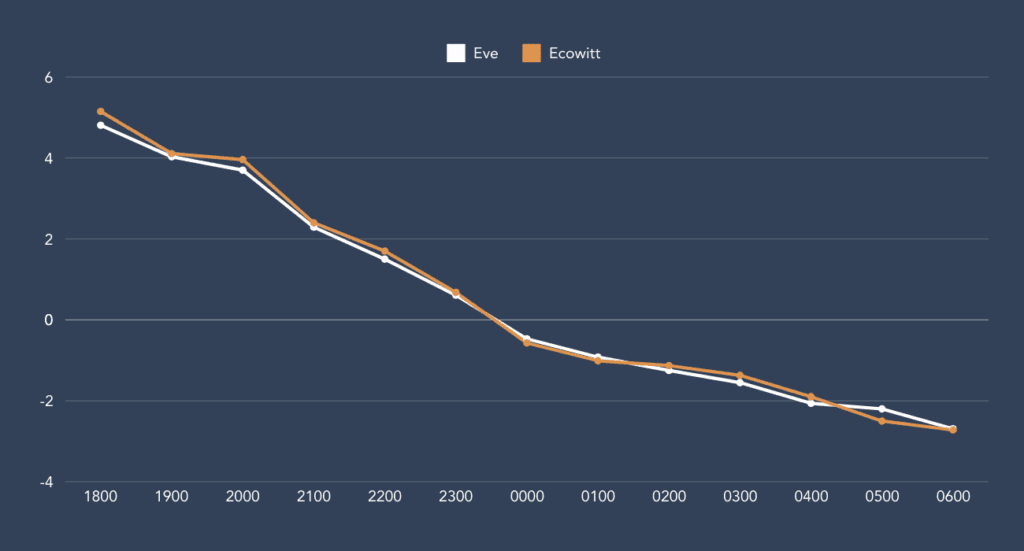
As you can see, both devices recorded nearly identical values, with a clear trend toward below-freezing temperatures. Unfortunately, for the plants in the greenhouse, temperatures dropped to -2.5°C in mid-March. Link: The Eve Weather on Amazon (Ad)
Comparison: Humidity Data
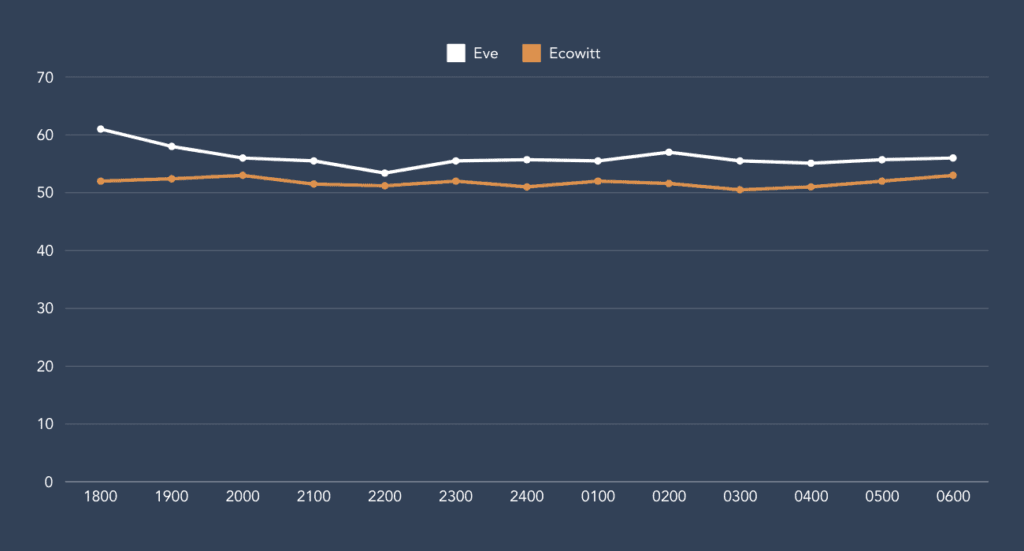
The humidity data showed a slight variation of a few percentage points between the devices, but the overall trend remained consistent. The actual humidity level likely falls somewhere between their readings.
While Eve Weather may not capture as broad spectrum of data, such as rainfall, solar radiation, or wind speed, it delivers exceptional performance, rivalling devices that cost three to four times as much.
Privacy & Eve Home
Eve has always been committed to privacy. The company will never access, store, or process your personal data, and there is no Eve cloud or bridge. This means you can always rely on the privacy frameworks set and enforced by the smart home platform of your choice.
Conclusion
If you’re looking for an affordable Matter compatible weather station to monitor temperature, humidity, and pressure trends, the Eve Weather is an excellent choice. While it may not have all the features of a professional station, its affordability and sleek design make it stand out.
Eve Weather is a subtle yet powerful device, perfect for weather enthusiasts and ideal for outdoor automation. While it can be integrated with Home Assistant, Eve’s own app offers intuitive graphs, advanced controls, and data export features.
As one of my first Bluetooth HomeKit devices, Eve Weather has consistently impressed, the Matter version is a fantastic upgrade. I highly recommend it!
Support this site: Eve Weather on Amazon. [Ad].
Links:
The Eve Aqua – Automated Garden Watering
Eve Thermo and Home Assistant
The Eve Weather on Amazon [Ad]
Eve Home
As an Amazon Associate, I earn from qualifying purchases.
Discover more from The Smart Home Blog
Subscribe to get the latest posts sent to your email.