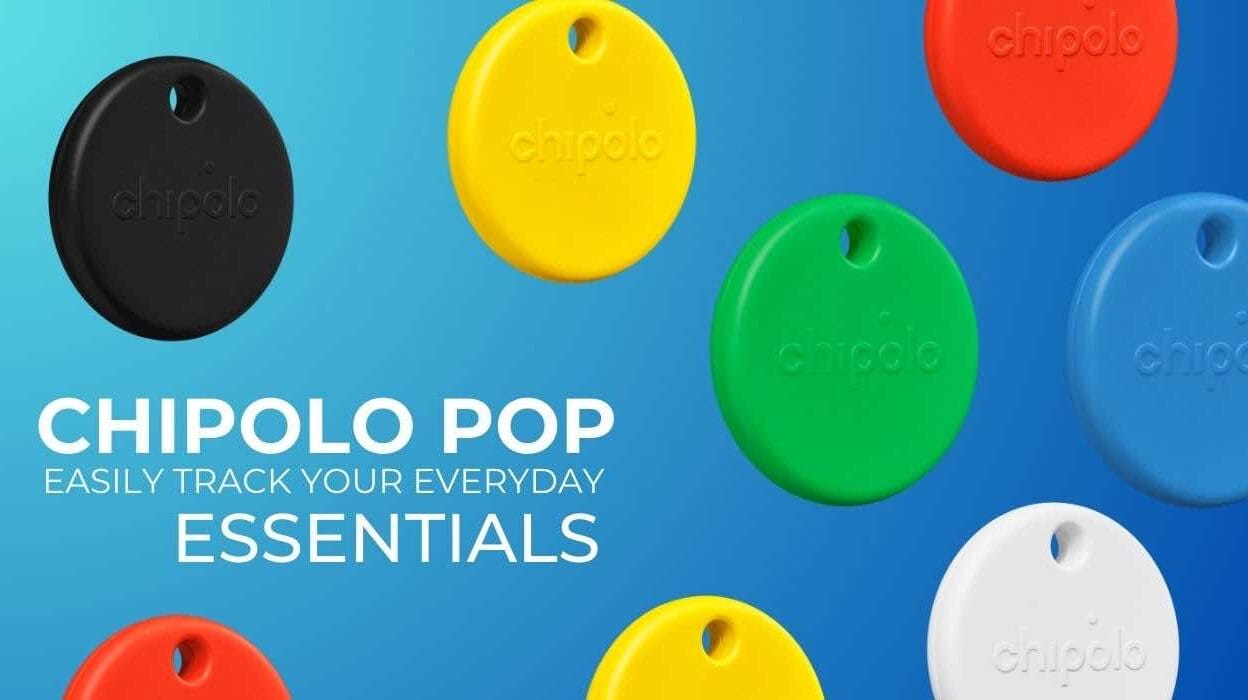
The Chipolo POP is a colourful, lightweight tracker designed to help you keep track of life’s everyday essentials. Whether you’re keeping tabs on your keys, bag, or luggage, the POP offers reliable global tracking through either Apple’s Find My network or Google’s Find My Device, making it one of the most versatile trackers on the market.
Table of contents
One of the first things we loved about the Chipolo POP is its ready to use design. It comes with a built in keyring hole, so there’s no need to purchase an extra holder or accessory. Just clip it on and go, perfect for anyone who wants a no fuss solution.
Chipolo POP Cross Platform Compatibility
The POP works seamlessly with both Apple’s Find My network and Google’s Find My Device, making it ideal regardless of your smartphone preference.

Simply attach the POP to any item you want to track, and you’ll be able to locate it easily even if you switch between Android and iOS devices. For those who want even more functionality, the free Chipolo companion app unlocks extra features (more on that shortly).
Sustainability at the Forefront
Chipolo stands out as a company with strong environmental values. All of its products, including the POP, are made in the EU using approximately 50% recycled materials. The POP also ships in compact, fully recyclable paper packaging, no plastic in sight. It’s powered by a replaceable battery with a lifespan of up to one year, making it a sustainable and practical choice.
Chipolo POP Range and Tracking
Chipolo boast a 90 meter range for the POP, a significant bump compared to Apple AirTag’s typical 10 meter Bluetooth range. Thanks to support from either Apple’s or Google’s global tracking networks, you can locate your items (almost) anywhere in the world.
To use the POP, you’ll need a device running Android 9 or later (with Google Play Services), or the latest version of iOS. Keep in mind that Apple and Google’s Find My services are separate ecosystems, so you can only avail of the power of one network.
For those hesitant about third party trackers, it’s reassuring to know the Chipolo POP inherits the robust privacy and safety protections built into both Apple and Google’s ecosystems. This includes features like unknown tracker alerts, which notify you if an unfamiliar device is moving with you, available across both Android and iOS platforms.
Setting Up Chipolo Pop with Apple’s Find My
Setting up the Chipolo POP on Apple’s Find My network is straightforward. Open the Find My app on your iPhone, tap the + symbol, and choose Add Other Item.
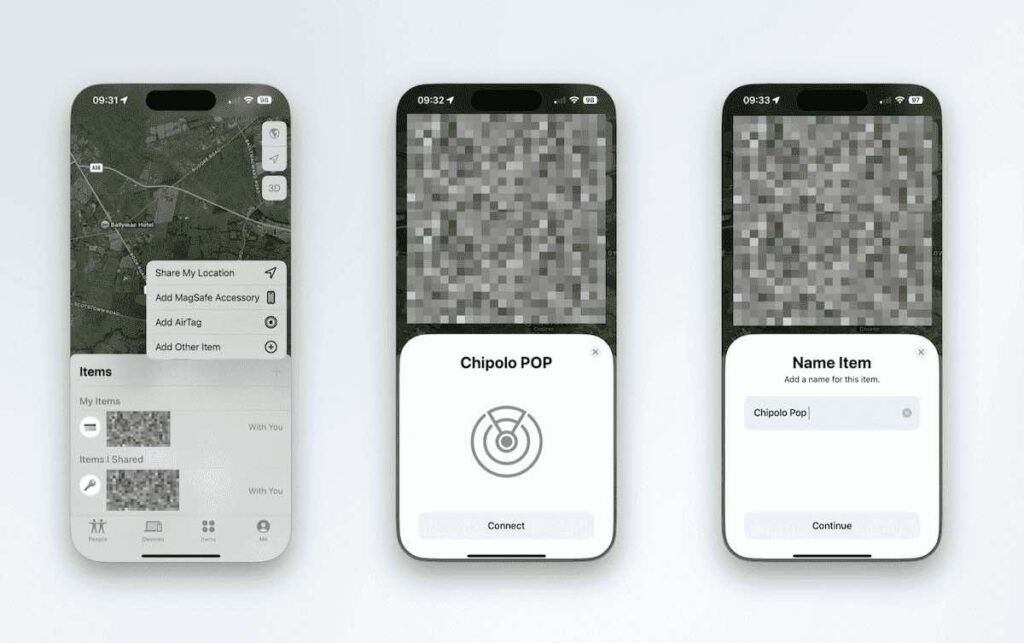
Double press the button on the Chipolo POP to activate it, you’ll hear a clear, audible chime. After a brief moment, the POP will appear on your screen.
From there, you can name the tracker, assign an icon, and confirm it’s linked to your iCloud account.
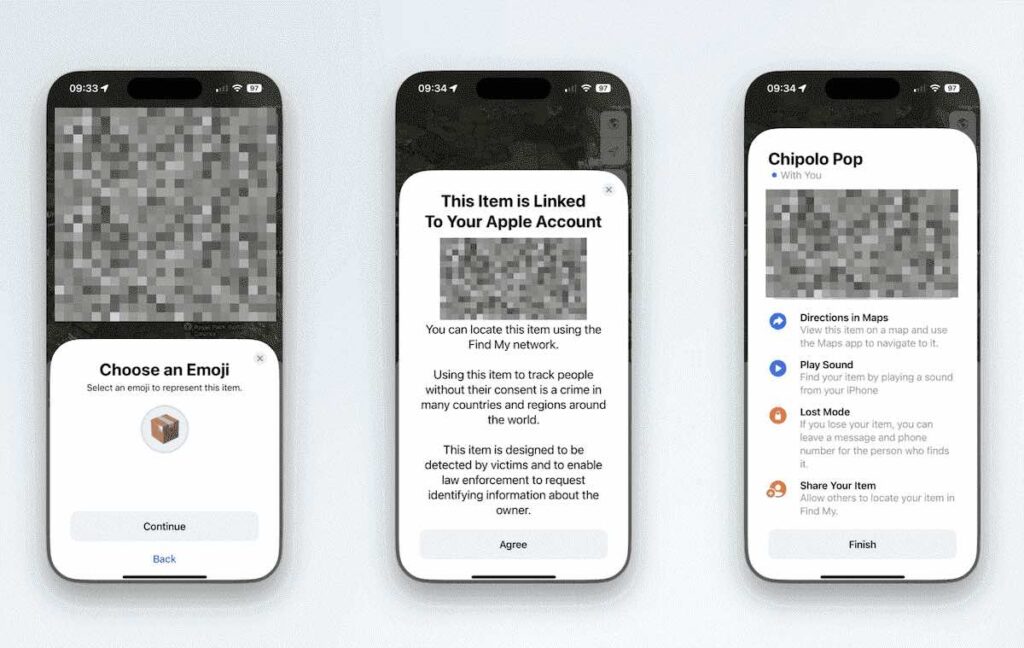
The POP will now appear alongside your other tracked items, showing real-time location data and available actions.
The Chipolo Companion App Bonus Features
If you want to unlock even more features, Chipolo’s own app adds a handful of handy extras:
- Call Your Phone: Press your POP to make your phone ring, even if it’s on silent.
- Out-of-Range Alerts (Android only): Get notified when you leave your item behind.
- Custom Ringtones: Personalize the sound your POP makes when activated.
- Selfie / Camera Remote: Use the POP as a Bluetooth shutter button for your phone’s camera.
Setup is simple: download the Chipolo app from the App Store, create an account, and double-press your POP to pair it.
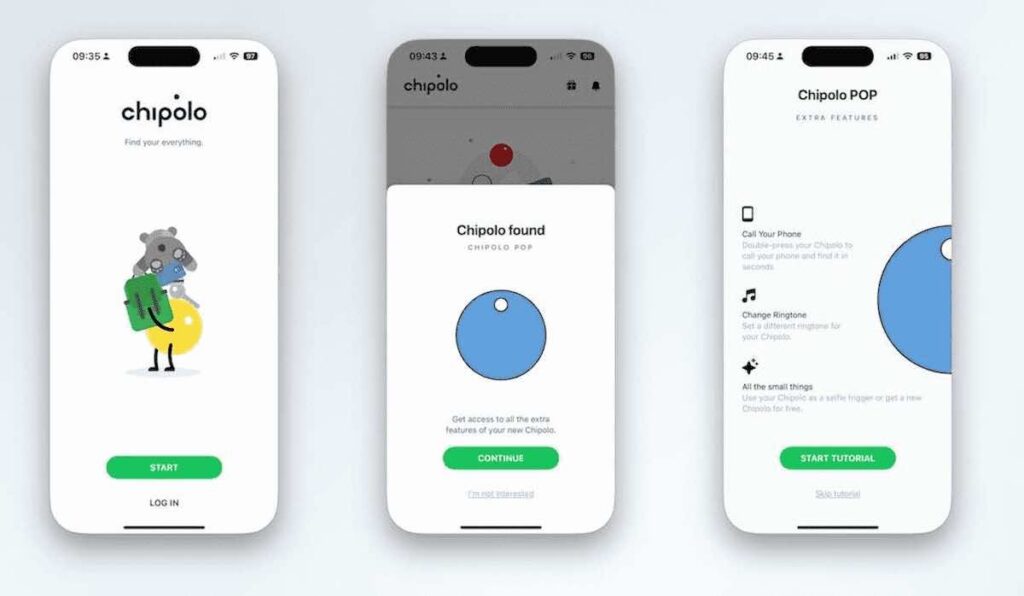
The app finds the device instantly, and setup takes just a few taps. While location permissions are required for full functionality, the app is optional—the POP can still work solely within Apple or Google’s native networks.
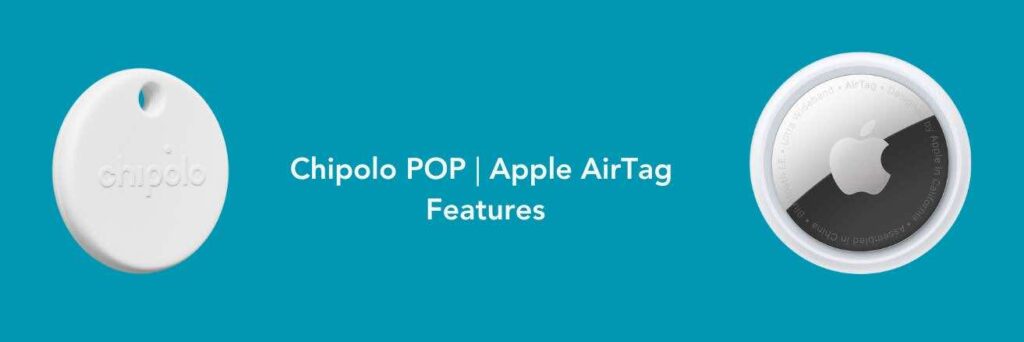
Click to display a comparison between the Chipolo POP & AirTag
Chipolo POP & Apple AirTag Comparison
| Feature | Chipolo POP | Apple AirTag |
|---|---|---|
| Networks Supported | Apple Find My / Google Find My Device | Apple Find My only |
| Platform Compatibility | iOS & Android | iOS only |
| Built-in Keyring Hole | Yes – no accessory needed | No – requires separate holder |
| Battery Life | Up to 1 year (replaceable) | Up to 1 year (replaceable) |
| Battery Type | CR2032 (user-replaceable) | CR2032 (user-replaceable) |
| Range (Bluetooth) | Up to 90m (~295 ft) | ~10m–30m (~33–100 ft) |
| Precision Finding (UWB) | No | Yes (with U1-enabled iPhones) |
| Separation Alerts | Android only (via Chipolo app) | iOS built-in |
| Ring Your Phone | Yes (via Chipolo app) | No |
| Shared Access | Yes (via Find My or Chipolo app) | Yes (via Find My, iOS 17+) |
| Selfie Remote | Yes (via Chipolo app) | No |
Real World Testing: Sharing Made Easy
To put the Chipolo POP through its paces, we attached it to a shared set of car keys used by four people. Sharing the device via Apple’s Find My app was seamless: once the initial user sent invitations, each additional user received a notification and was able to accept tracking access.
Everyone could then view the location. It was interesting watching the POP on a set of car keys driving along a map. Including the little car icon.

Conclusion
The Chipolo POP [Ad] is an affordable, sustainable, and user friendly alternative to other Bluetooth trackers. With wide platform support, smart extras via the companion app it’s a great option for anyone who wants to keep track of their belongings without compromise. The fact the POP doesn’t require an additional holder or keyring makes it a winner in our book.
Links:
Buy the Chipolo POP on Amazon (Affiliate).
Getting Started with Apple AirTag Review

Discover more from The Smart Home Blog
Subscribe to get the latest posts sent to your email.